
Quad Project: Rhombus Construction and Angle Analysis
Loading the math board and drawing, please wait…
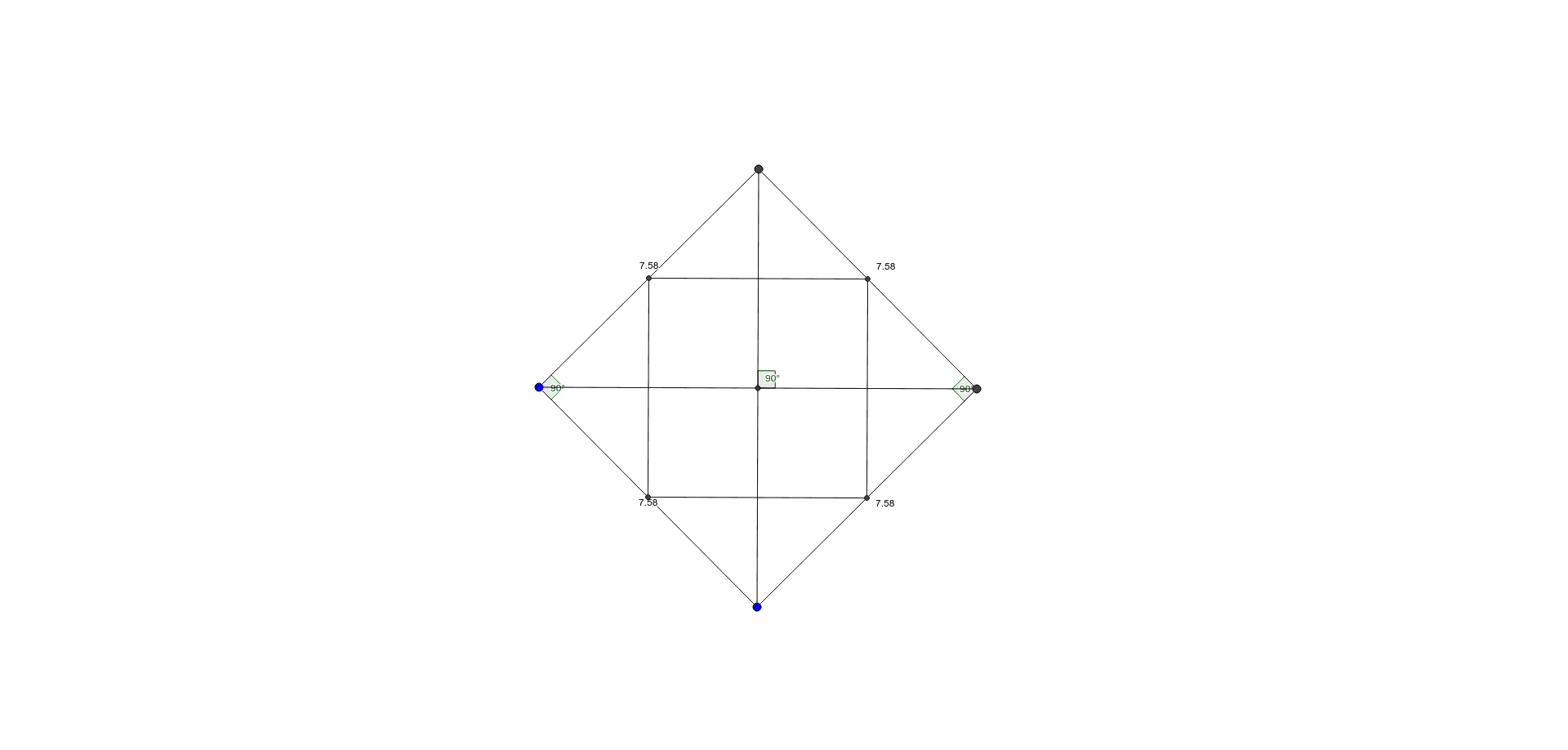
① This example demonstrates how to construct a rhombus in GeoGebra and investigate the relationships among its sides, diagonals, and angles. ② Core mathematical concepts include the definition of a rhombus (all sides equal), properties such as perpendicular bisecting diagonals, equal opposite angles, and supplementary adjacent angles, verified through angle measurement. ③ Construction highlights: based on the summary, the Polygon command creates quadrilateral poly1, Segment commands generate sides a,b,c,d and diagonals e,f, Intersect finds diagonal intersection E, Angle marks α,β,γ, and Midpoint determines midpoints; objects include points A,B,C,D,E,F,G,H,I and segments k,l,m,n, showcasing a complete geometric construction workflow. ④ Suitable for middle school geometry lessons or student self-exploration, this example helps visualize rhombus properties and serves as an introductory GeoGebra exercise covering polygons, segments, intersections, angles, and midpoints.
GeoGebra Commands & Parameters
Polygon(A, B, 4) → poly1, a, b, c, d, C, DSegment(D, A) → eSegment(A, B) → fSegment(B, C) → gSegment(C, D) → hSegment(D, B) → iSegment(A, C) → jIntersect(i, j) → EAngle(C, E, D) → αAngle(B, A, D) → βAngle(D, C, B) → γMidpoint(e) → FMidpoint(h) → GMidpoint(g) → HMidpoint(f) → ISegment(F, I) → kSegment(I, H) → lSegment(H, G) → mSegment(F, G) → n
AI Drawing Prompt Reference
Draw a rhombus to demonstrate that all four sides are equal, diagonals bisect each other perpendicularly, opposite angles are equal, and adjacent angles are supplementary. Start by constructing the rhombus with four equal sides, then draw the diagonals and mark their intersection point. Measure and label the three angles, then find and connect the midpoints of the four sides and diagonals to form a smaller rhombus.
The prompt above was compiled from the original drawing commands and is for reference only.