
Pyramids Inscribed in a Cube
Loading the math board and drawing, please wait…
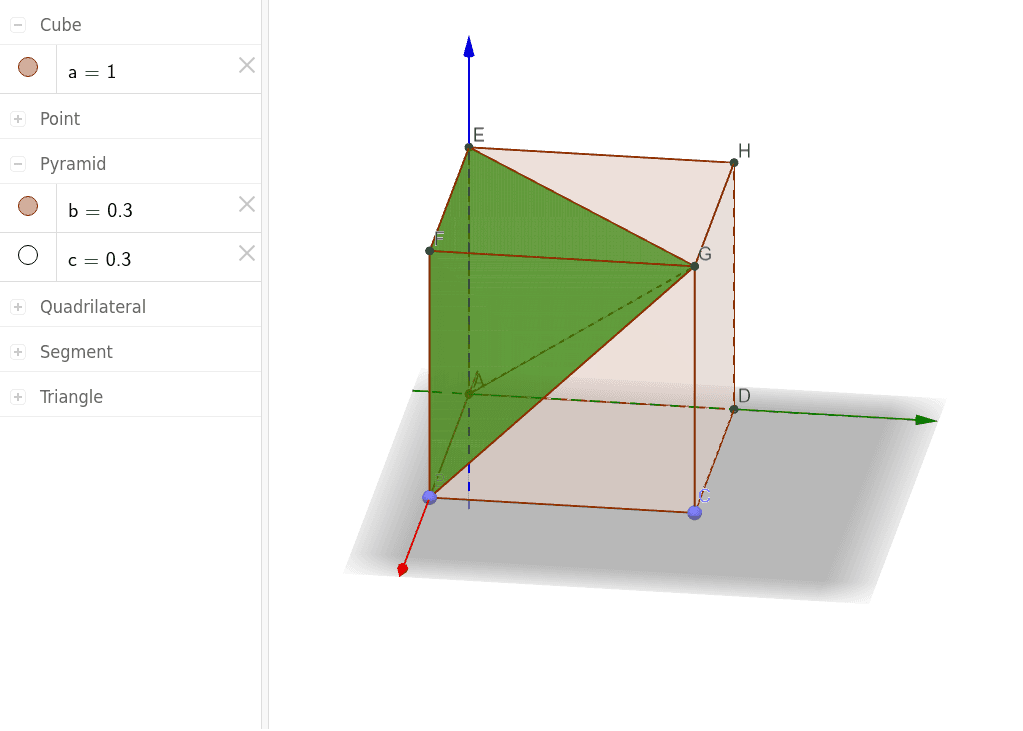
This example demonstrates pyramids inscribed in a cube. The core mathematical concepts include the relationship between pyramids and cubes in solid geometry. Using GeoGebra commands such as Intersect and Point, the intersection lines and faces between the pyramid and the cube can be constructed. Suitable for high school mathematics education or students learning solid geometry.
GeoGebra Commands & Parameters
Intersect(zAxis, xAxis) → APoint(xAxis) → BPoint(Circle[B, Distance[A, B], Segment[A, B]]) → CCube(A, B, C) → a, D, faceCDHG, faceEFGH, edgeAD_1, edgeAB_1, edgeBC_1, edgeCD_1, edgeAE_1, edgeDH, edgeEH, edgeEF_1, E, edgeBF_1, edgeFG_1, edgeCG_1, edgeGH, F, G, H, faceABCD_1, faceADHE, faceABFE_1, faceBCGFPyramid(F, E, A, B, G) → b, faceABFE, edgeFG, edgeEG, edgeAG_1, edgeBG_1, faceEFG, faceAEG, faceABG_1, faceBFG, edgeEF, edgeAE, edgeAB_2, edgeBFPyramid(C, D, A, B, G) → c, faceABCD, edgeCG, edgeDG, edgeAG, edgeBG, faceCDG, faceADG, faceABG, faceBCG, edgeCD, edgeAD, edgeAB, edgeBC
AI Drawing Prompt Reference
Draw a pyramid inscribed in a cube, including the cube vertices A, B, C, D, and G, and the pyramid vertices F and E. First, draw the edges AB, BC, CD, and DA of the cube, then construct the pyramid using these edges, ensuring that the base of the pyramid coincides with one face of the cube, and the vertices F and E are located on the diagonals of the cube.
The prompt above was compiled from the original drawing commands and is for reference only.