
Pyramid Volume and Surface Area Calculation
Loading the math board and drawing, please wait…
In collections
Surface Area and Volume
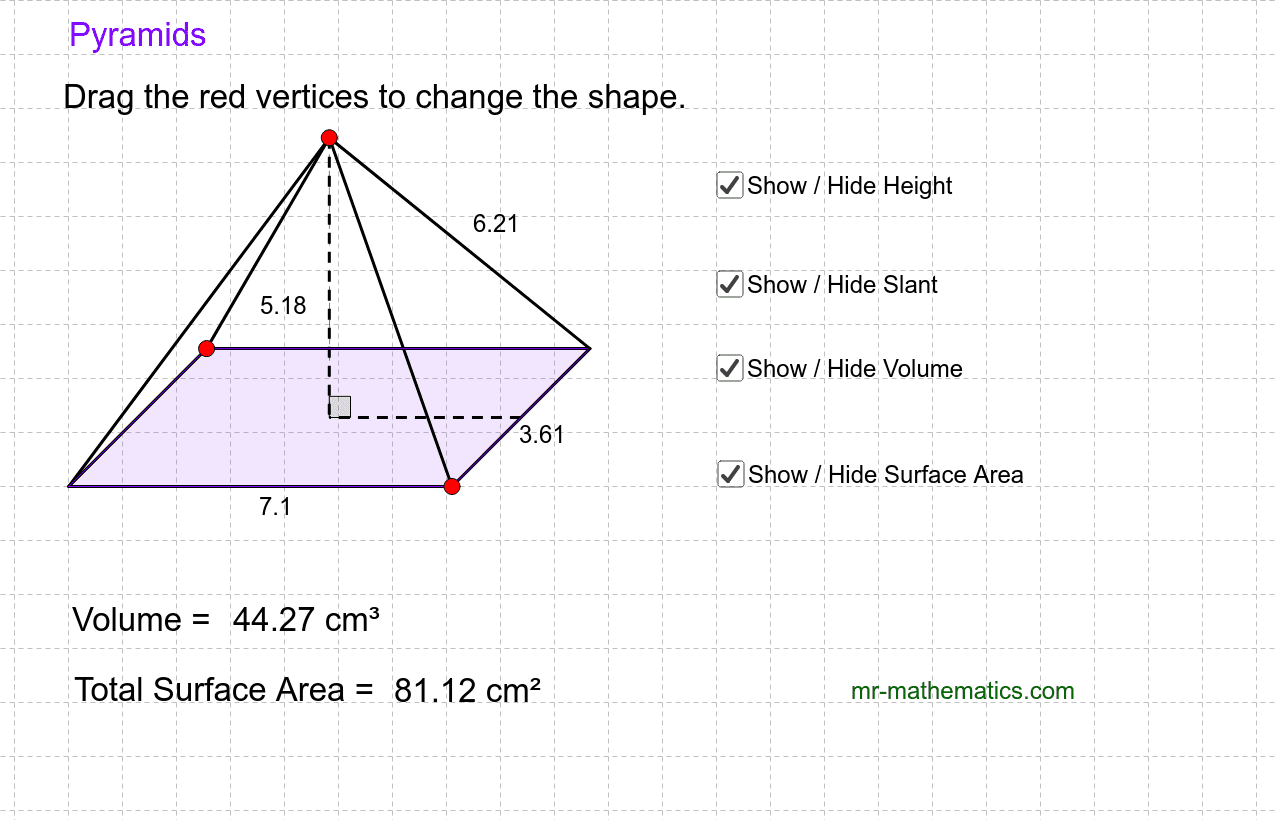
This example demonstrates how to calculate the volume and surface area of a pyramid by adjusting its dimensions. It involves core math concepts like solid geometry, volume formulas, surface area formulas, and geometric transformations. The construction uses GeoGebra commands/objects such as Line, Point, Intersect, Segment, Midpoint, Rotate, Angle, Polygon. Suitable for high school students learning and understanding volume and surface area calculations in solid geometry, as well as for mathematical teaching demonstrations.
GeoGebra Commands & Parameters
Line(A, B) → aLine(A, C) → bPoint(b) → EPoint(a) → FLine(E, a) → cLine(F, b) → dIntersect(c, d) → GSegment(A, F) → eSegment(F, G) → fSegment(G, E) → gSegment(E, A) → hMidpoint(e) → HMidpoint(f) → ILine(I, e) → iLine(H, h) → jIntersect(i, j) → JRotate(I, 90*°, J) → I'Angle(I, J, I') → αLine(J, I') → kSegment(I, J) → lPoint(k) → KSegment(K, J) → mSegment(K, G) → nSegment(F, K) → pSegment(A, K) → qSegment(E, K) → rPolygon(A, F, G, E) → poly1, a_1, f_1, g_1, e_1Intersect(f, g) → LLine(A_1, B_1) → a_2Line(A_1, C_1) → b_1Point(b_1) → E_1Point(a_2) → F_1Line(E_1, a_2) → c_1Line(F_1, b_1) → d_1Intersect(c_1, d_1) → G_1Segment(A_1, F_1) → e_2Segment(F_1, G_1) → f_2Segment(G_1, E_1) → g_2Segment(E_1, A_1) → h_1Midpoint(e_2) → H_1Midpoint(f_2) → I_1Line(I_1, e_2) → i_1Line(H_1, h_1) → j_1Intersect(i_1, j_1) → J_1Rotate(I_1, 90*°, J_1) → I'_1Angle(I_1, J_1, I'_1) → α_1Line(J_1, I'_1) → k_1Segment(I_1, J_1) → l_1Point(k_1) → K_1Segment(K_1, J_1) → m_1Segment(K_1, G_1) → n_1Segment(F_1, K_1) → p_1Segment(A_1, K_1) → q_1Segment(E_1, K_1) → r_1Polygon(A_1, F_1, G_1, E_1) → poly1_1, a_3, f_3, g_3, e_3Line(A_2, B_2) → a_4Line(A_2, C_2) → b_2Point(b_2) → E_2Point(a_4) → F_2Line(E_2, a_4) → c_2Line(F_2, b_2) → d_2Intersect(c_2, d_2) → G_2Segment(A_2, F_2) → e_4Segment(F_2, G_2) → f_4Segment(G_2, E_2) → g_4Segment(E_2, A_2) → h_2Midpoint(e_4) → H_2Midpoint(f_4) → I_2Line(I_2, e_4) → i_2Line(H_2, h_2) → j_2Intersect(i_2, j_2) → J_2Rotate(I_2, 90*°, J_2) → I'_2Angle(I_2, J_2, I'_2) → α_2Line(J_2, I'_2) → k_2Segment(I_2, J_2) → l_2Point(k_2) → K_2Segment(K_2, J_2) → m_2Segment(K_2, G_2) → n_2Segment(F_2, K_2) → p_2Segment(A_2, K_2) → q_2Segment(E_2, K_2) → r_2Polygon(A_2, F_2, G_2, E_2) → poly1_2, a_5, f_5, g_5, e_5Segment(K, L) → s_1Point(l) → OSegment(K, O) → t_1