
Pyramid Rotation
Loading the math board and drawing, please wait…
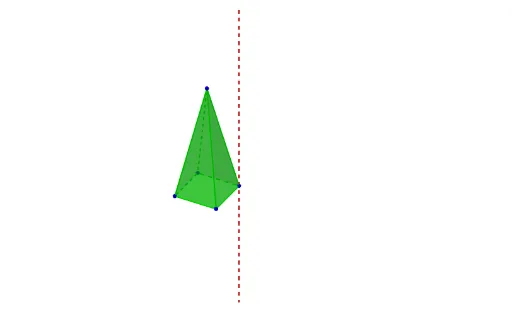
This example demonstrates the rotation of a pyramid. Key mathematical concepts include solid geometry transformations. Using GeoGebra commands such as Polygon and Rotate, a rotating pyramid model is constructed. Suitable for high school solid geometry education or related mathematical exploration.
GeoGebra Commands & Parameters
Polygon(A, B, 4, xOyPlane) → poly1, f, g, h, i, C, DPyramid(poly1, 5.240528948670709) → a, E, faceABE, faceBCE, faceCDE, faceADE, edgeAE, edgeBE, edgeCE, edgeDECentroid(poly1) → FLine(F, E) → jLine(A, j) → kRotate(a, α, k) → a'Rotate(C, α, k) → C'Rotate(E, α, k) → E'Rotate(D, α, k) → D'Rotate(B, α, k) → B'
AI Drawing Prompt Reference
Draw a square pyramid with base ABCD and apex E. First, draw the base ABCD, then construct the pyramid with a height of 5.240528948670709. Find the centroid F of the base, draw a line j through F and E, and draw a line k through A and j. Rotate the pyramid and the base ABCD around line k by angle α to get the rotated pyramid A'B'C'D'E'.
The prompt above was compiled from the original drawing commands and is for reference only.