
Pyramid and Polygon Construction
Loading the math board and drawing, please wait…
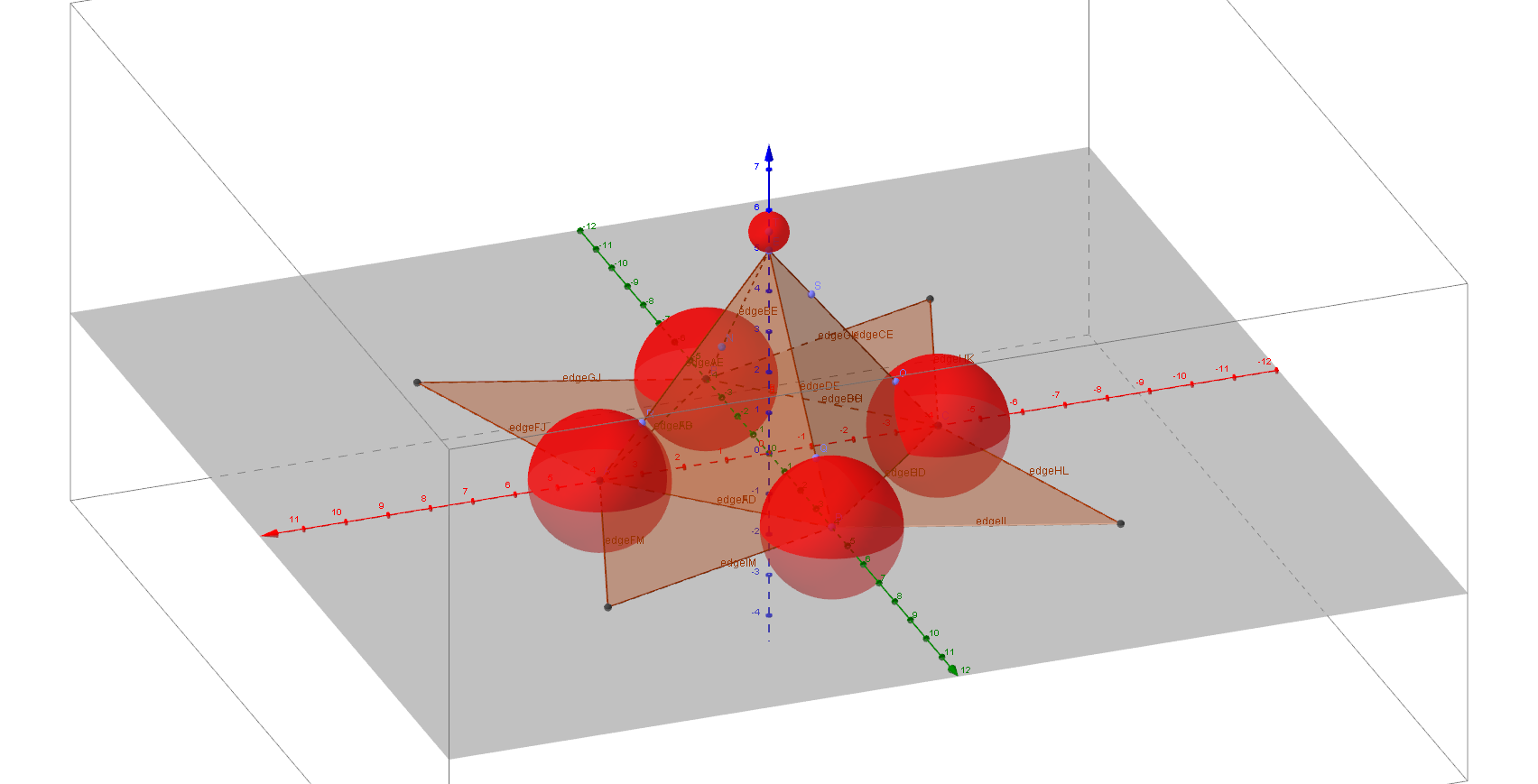
This example demonstrates the geometric construction of a pyramid and its net, involving core math concepts like solid geometry, trigonometry, polygon construction, standard deviation, and power functions. It uses commands like Point, Pyramid, Net, Sphere, and objects such as points and faces as per the construction summary, making it suitable for high school students and math enthusiasts learning about 3D geometry and geometric constructions.
GeoGebra Commands & Parameters
Point(xAxis) → APoint(yAxis) → BPoint(xAxis) → CPoint(yAxis) → DPoint(zAxis) → EPyramid(A, B, C, D, E) → a, faceABCD, edgeAE, edgeBE, edgeCE, edgeDE, faceABE, faceBCE, faceCDE, faceADE, edgeAB, edgeBC, edgeCD, edgeADNet(a, b) → c, F, faceFGJ, faceGHK, faceHIL, faceFIM, edgeFG, edgeGH, edgeHI, edgeFI, edgeFJ, edgeGJ, G, edgeGK, edgeHK, edgeHL, edgeIL, edgeIM, edgeFM, H, I, J, K, L, M, faceFGHIPoint(edgeBE) → NSphere(B, N) → dPoint(edgeCE) → OSphere(C, O) → ePoint(edgeAD) → PPoint(edgeDE) → QSphere(P, Q) → fPoint(edgeAE) → RSphere(A, R) → gPoint(edgeCE) → SPoint(zAxis) → TSphere(T, E) → h
AI Drawing Prompt Reference
Draw a pyramid with a quadrilateral base and its net. The pyramid's apex is directly above the center of the base. Start by plotting four points to form the base, then connect them to create the four triangular faces. Next, draw the net of the pyramid, which is the base and the four faces laid out flat. Place a sphere at each vertex of the pyramid, with the sphere's center at the midpoint of the edge connecting the vertex to the base. Finally, add a sphere at the center of the base, with its center at the midpoint of the base's center and the pyramid's apex.
The prompt above was compiled from the original drawing commands and is for reference only.