
Pumpkin Carving
Loading the math board and drawing, please wait…
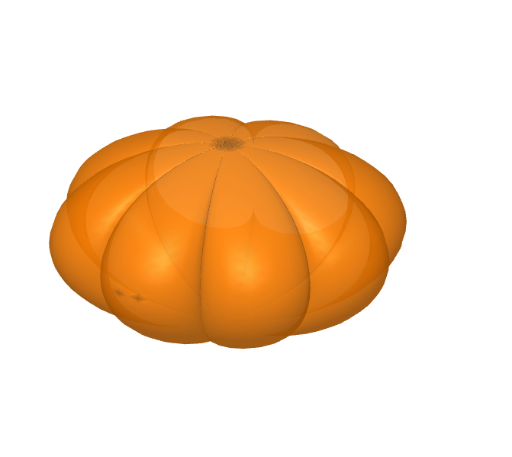
This GeoGebra example demonstrates carving a pumpkin using surface drawing and polygon construction in solid geometry. The Surface command is used to create the pumpkin's surface, and objects fat, slices, tall, b, and testo1 are utilized for detailed carving. Suitable for high school math education and students learning solid geometry.
GeoGebra Commands & Parameters
Surface((((fat * sin(α)) * (((slices + 1) * cos(β)) - cos((β * (slices + 1)))))) / slices, (((fat * sin(α)) * (((slices + 1) * sin(β)) - sin((β * (slices + 1)))))) / slices, (tall * cos(α)), β, 0, 6.283185307179586, α, 0, 3.141592653589793) → b
AI Drawing Prompt Reference
Draw a pumpkin carving graphic. The pumpkin surface is represented by a curved surface. Include fat, slices, and height parameters. Fat and slices are used for detailed carving, while height determines the pumpkin's shape. The construction order is to first draw the curved surface, then add slices and fat, and finally adjust height to form the complete pumpkin shape.
The prompt above was compiled from the original drawing commands and is for reference only.