
Projection of Y on X
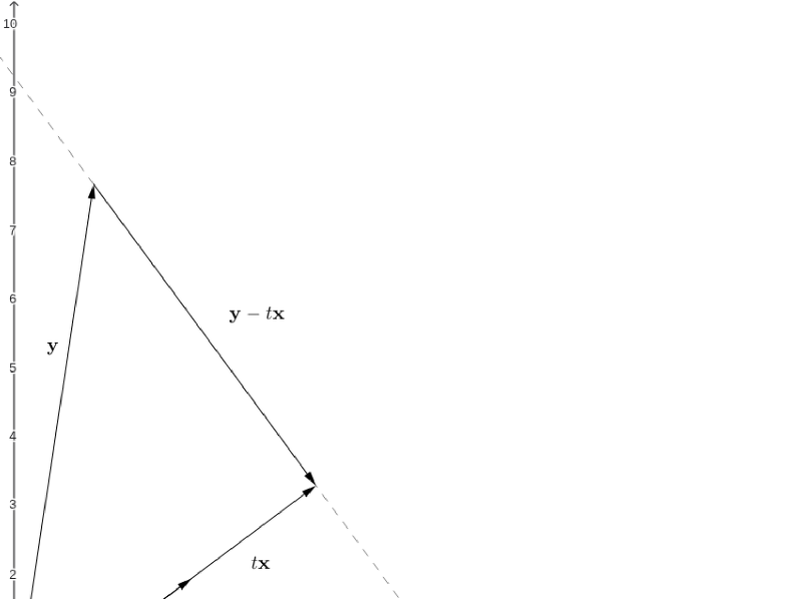
Loading the math board and drawing, please wait…
This example demonstrates the projection of vector Y onto vector X. It involves core mathematical concepts such as vectors, projection, orthogonal lines, and coordinate geometry. The construction utilizes GeoGebra commands like Intersect, Rotate, Vector, OrthogonalLine, and Point. Suitable for high school and above students to understand the geometric meaning and calculation of vector projection.
GeoGebra Commands & Parameters
Intersect(xAxis, yAxis) → ARotate(A, 90*°, B) → A'Vector(A, B) → uVector(A, A') → vOrthogonalLine(B, v) → aPoint(a) → CVector(A, C) → wPoint(w) → DVector(A, D) → zVector(B, C) → b
AI Drawing Prompt Reference
Draw two perpendicular coordinate axes intersecting at point O. Start from O and draw vector u, then draw vector v perpendicular to u. Rotate vector v 90 degrees counterclockwise around O to get vector v'. Draw a line through B parallel to v, and let it intersect the line containing u at point C. Connect A and C to form vector w. The intersection of w and u is point D. Finally, connect A and D to complete the drawing.
The prompt above was compiled from the original drawing commands and is for reference only.