
Projecting a 3D Vector onto a Plane (ProyeccionPlano)
Loading the math board and drawing, please wait…
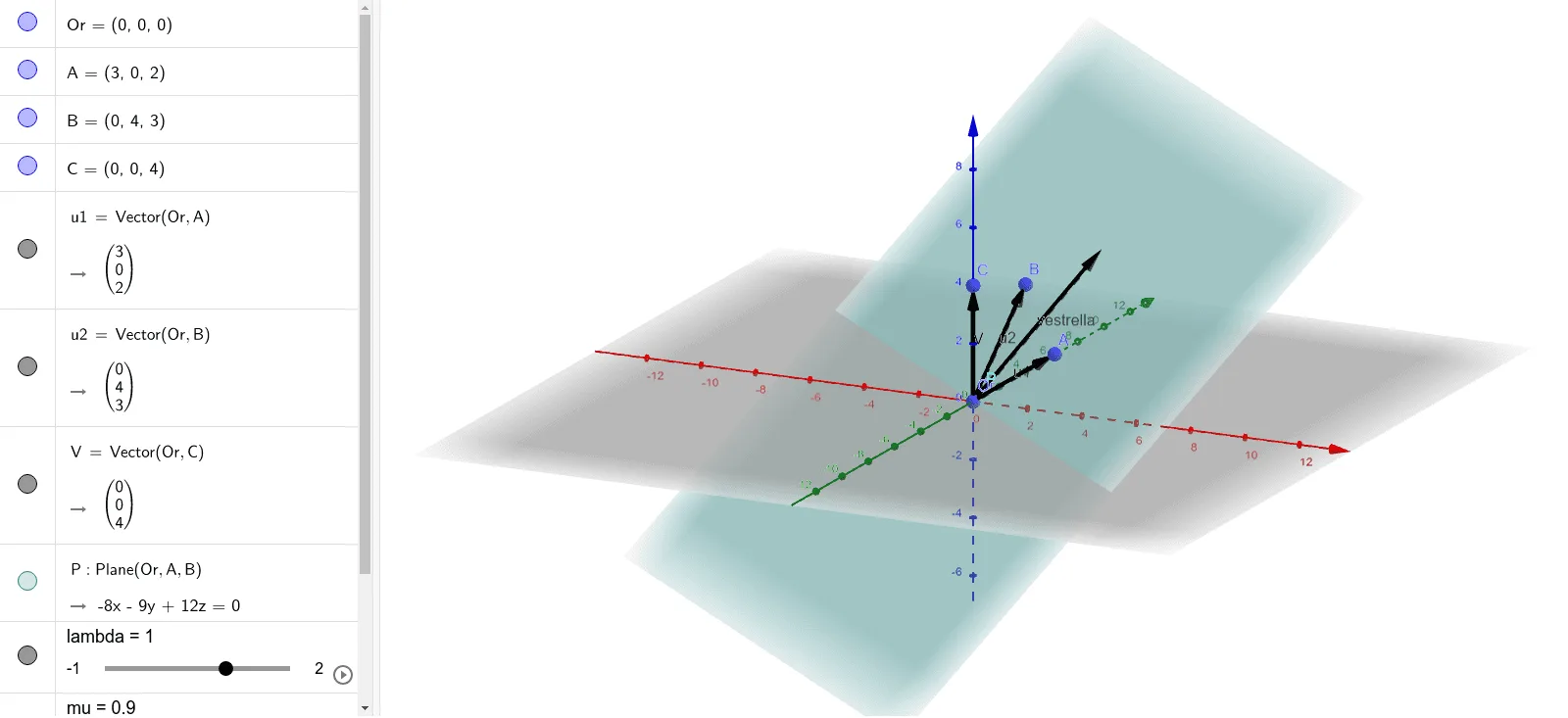
This GeoGebra example demonstrates how an arbitrary 3D vector is orthogonally projected onto a given plane, producing the projection vector and revealing the related geometric relationships. Key math concepts include vectors in 3D, defining a plane, vector projection via an orthogonal decomposition idea, and expressing the projected point using linear combinations with parameters. Construction is based on the GeoGebra commands Vector and Plane, where a vector object (the original vector) and the target plane are created first. The construction then uses points/objects such as Or, A, B, C to determine the plane, planar direction vectors u1 and u2, the original vector V, a point P representing the landing/projection point, and parameters lambda and mu to compute the projected configuration; the resulting object (vestrella) encodes the projection outcome. Suitable for high school through early university geometry/vector instruction and for visual teaching of projection and decomposition.
GeoGebra Commands & Parameters
Vector(Or, A) → u1Vector(Or, B) → u2Vector(Or, C) → VPlane(Or, A, B) → P
AI Drawing Prompt Reference
Draw a 3D vector and a plane. The vector originates from the origin, and the plane is defined by two points. The vector is projected onto the plane, creating a projection point. Show the relationship between the vector, plane, and projection point to help understand the concept of projecting a 3D vector.
The prompt above was compiled from the original drawing commands and is for reference only.