
Projectile Range via Parabola Parameters: How Angle Changes Landing Distance
Loading the math board and drawing, please wait…
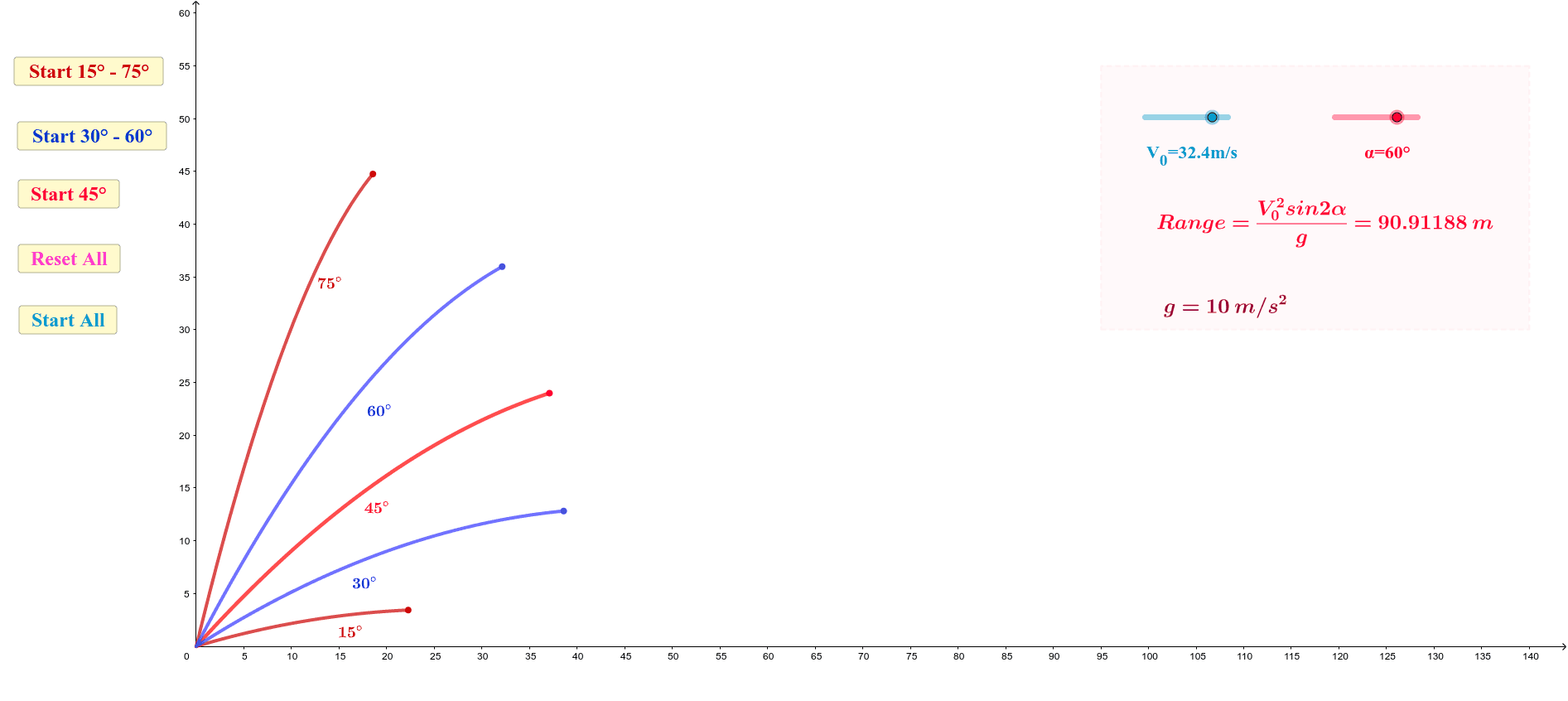
This example visualizes how a projectile’s range (landing distance) changes as the launch angle varies, linking geometric construction with function graphs. It centers on quadratic functions and parabolas, using trigonometric functions (sine/cosine) to relate angle parameters to model quantities, and on coordinate-geometry interpretation of curves and their key points. Construction-wise, GeoGebra uses Polygon to assemble the main geometric configuration and employs a set of parameter-dependent points and segments (e.g., V_0, a, b, t, P, A, B, C, M) to represent the relevant locations and boundaries of the projectile motion/range region. Multiple text labels (text1–text10) and interactive controls (button1–button4) support switching parameter values and comparing outcomes. Function-related objects (e.g., f, g, and parameters such as p, q, h with additional derived quantities d_1, e, f_1, g_1) connect the trigonometric/parameter setup to the resulting quadratic curve or graph features. Suitable for high school to early university lessons on quadratic modeling, trigonometric modeling, and interactive graphing/visual reasoning.
GeoGebra Commands & Parameters
Polygon(D, E, F, G) → q1, d_1, e, f_1, g_1
AI Drawing Prompt Reference
Draw a parabola to show how the range changes with different launch angles. Use a polygon to represent the boundary of the parabola. Adjust the angle parameter to observe the range changes. Draw the parabola and its key points like the vertex and focus, and label the angles and distances with text.
The prompt above was compiled from the original drawing commands and is for reference only.