
Printable Cube: Solid Geometry Construction and Volume
Loading the math board and drawing, please wait…
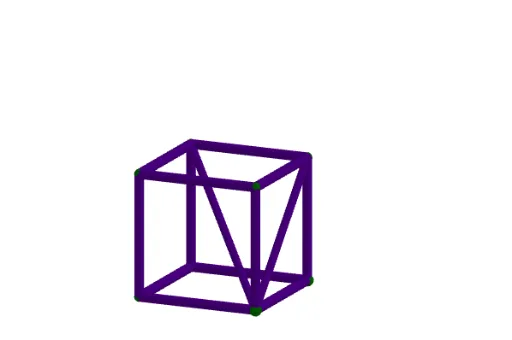
① This example demonstrates a complete cube constructed from points, segments, and faces, emphasizing its printable 3D model for intuitive teaching of solid geometry. ② Core math concepts include cube edges, faces, vertices, and volume calculation (edge length cubed), along with basic geometric elements like line segments, intersections, and geometric mean. ③ Construction highlights: GeoGebra commands include Intersect for finding intersection points, Point for defining vertices, Cube for generating the cube directly, and Segment for edges; objects include eight vertices A–H, six faces (faceABCD etc.), twelve edges (edgeAD etc.), and auxiliary objects f and g. ④ Suitable for middle and high school students to understand 3D spatial structures, also useful for 3D printing lessons or math lab activities, bridging 2D views to 3D solids.
GeoGebra Commands & Parameters
Intersect(zAxis, yAxis) → APoint(xAxis) → BPoint(Circle[B, Distance[A, B], Segment[A, B]]) → CCube(A, B, C) → a, D, faceCDHG, faceEFGH, edgeAD, edgeAB, edgeBC, edgeCD, edgeAE, edgeDH, edgeEH, edgeEF, E, edgeBF, edgeFG, edgeCG, edgeGH, F, G, H, faceABCD, faceADHE, faceABFE, faceBCGFSegment(H, B) → fSegment(B, G) → g
AI Drawing Prompt Reference
Draw a cube constructed from points, segments, and faces to highlight its printable 3D model for teaching solid geometry. Include all 12 edges and 6 faces, clearly showing the cube's structure with labeled vertices, edges, and faces to understand its spatial relationships.
The prompt above was compiled from the original drawing commands and is for reference only.