
Practice Special Angles on Unit Circle
Loading the math board and drawing, please wait…
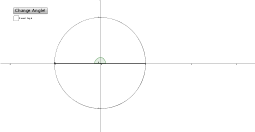
This example demonstrates special angles on the unit circle to help students understand basic trigonometric concepts. Using commands like RandomElement, Angle, and Segment, students can dynamically explore the relationship between angles and radians. Suitable for middle school and above students learning trigonometry and geometric construction.
GeoGebra Commands & Parameters
RandomElement(Angles) → aAngle((1, 0), (0, 0), A) → angleASegment((1, 0), (0, 0)) → seg1Segment((0, 0), A) → seg2FractionText(b / 180) → text1
AI Drawing Prompt Reference
Draw a unit circle and randomly select a special angle on it, labeling the corresponding radian value. First, draw a line segment from the center to a point on the unit circle, then draw another line segment from the center to the same point, and finally label the corresponding radian value on the positive x-axis of the coordinate system.
The prompt above was compiled from the original drawing commands and is for reference only.