
Practice Special Angles and Trigonometric Functions on Unit Circle
Loading the math board and drawing, please wait…
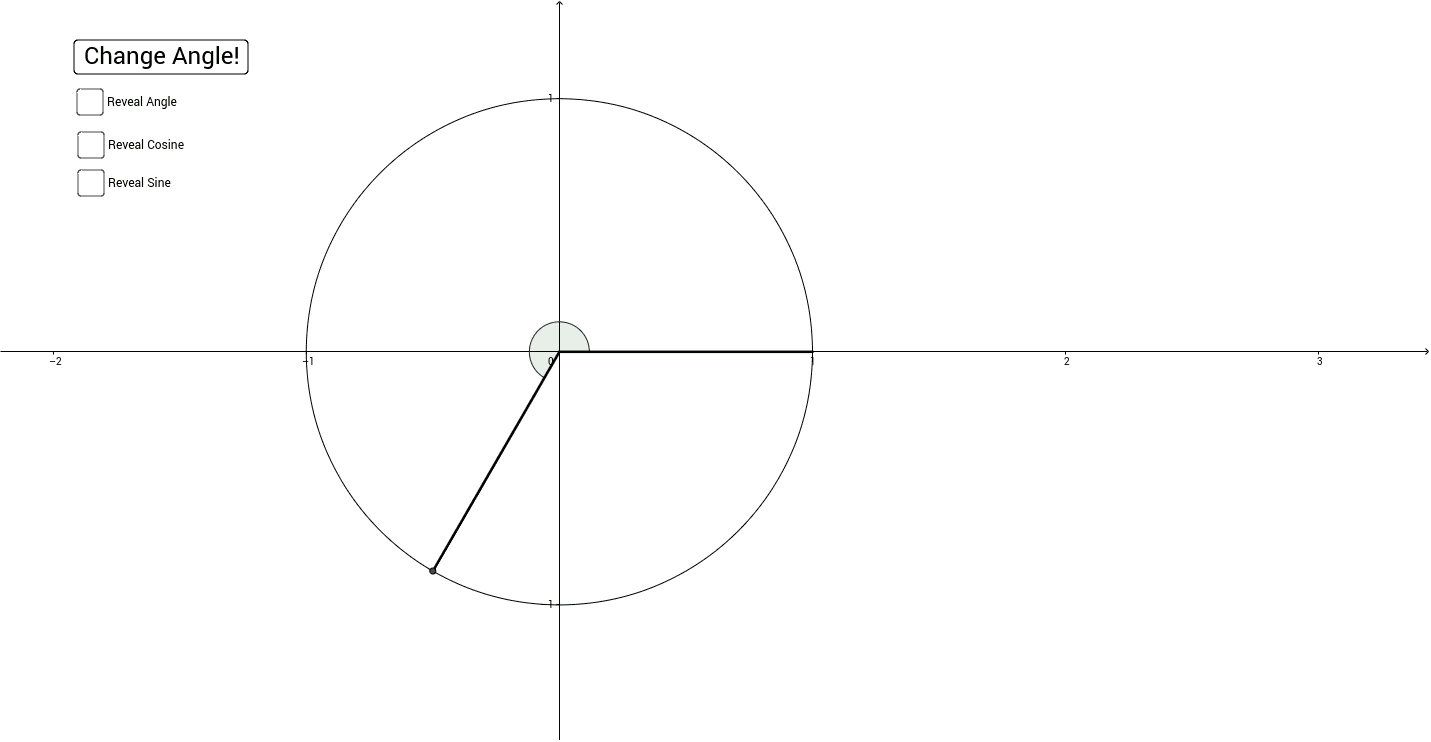
This example demonstrates the values of trigonometric functions on the unit circle. Key mathematical concepts include angles, unit circle, sine, and cosine. Using commands like RandomElement, Angle, and Segment from the construction summary, one can understand how to draw these figures in GeoGebra. Suitable for high school mathematics education and learning.
GeoGebra Commands & Parameters
RandomElement(Angles) → aAngle((1, 0), (0, 0), A) → angleASegment((1, 0), (0, 0)) → seg1Segment((0, 0), A) → seg2FractionText(b / 180) → text1SurdText(xCoord) → cosineSurdText(yCoord) → sine
AI Drawing Prompt Reference
Draw a unit circle centered at the origin, choose a point on the circle corresponding to a randomly selected special angle, and draw two radii from the origin to the positive x-axis endpoint and to that point. Mark the angle between the radii. Next to the figure, show the angle as a fraction, and display the cosine value from the point's x-coordinate and the sine value from its y-coordinate, preferably in radical form. The drawing should support practicing special angles and trigonometric functions on the unit circle.
The prompt above was compiled from the original drawing commands and is for reference only.