
Practice ordering fractions from least to greatest
Loading the math board and drawing, please wait…
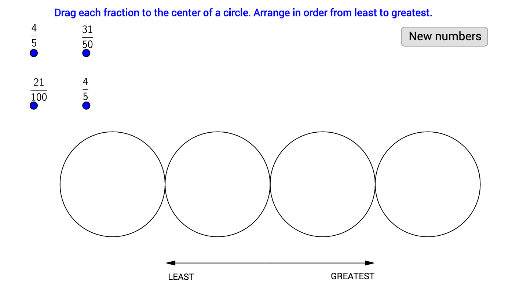
This GeoGebra applet provides practice in ordering a set of fractions from least to greatest. Students can drag or type fractions and receive immediate self‑correction feedback. The main mathematical ideas involve comparing fractions, understanding the size of rational numbers, and using inequality symbols. The construction uses GeoGebra commands such as If, Point, Circle, Line, Vector, and FractionText, and defines several score objects (e.g., Ascore_1, AscoreTOTAL) to track progress. It is designed for upper elementary and middle‑school learners and can be used as a classroom activity or a self‑study tool.
GeoGebra Commands & Parameters
If(a > b, 1, 0) → Ascore_1If(a > c, 1, 0) → Ascore_2If(a > d, 1, 0) → Ascore_3If(b > a, 1, 0) → Bscore_1If(b > c, 1, 0) → Bscore_2If(b > d, 1, 0) → Bscore_3If(c > a, 1, 0) → Cscore_1If(c > b, 1, 0) → Cscore_2If(c > d, 1, 0) → Cscore_3Point(xAxis) → EPoint(xAxis) → FCircle(E, F) → ePoint(xAxis) → GCircle(G, F) → fPoint(xAxis) → HPoint(xAxis) → ICircle(H, I) → gPoint(xAxis) → JCircle(J, I) → hLine(K, L) → iPoint(i) → MPoint(i) → NVector(M, N) → uPoint(i) → OVector(M, O) → vFractionText(c) → text3FractionText(a) → text1FractionText(b) → text2FractionText(d) → text4
AI Drawing Prompt Reference
Create an interactive figure for practicing ordering four fractions from least to greatest. Show a horizontal number line with four draggable or editable fraction labels displayed as fraction text. Mark several auxiliary points on the line and draw circles around them to indicate each fraction’s interval. Add an auxiliary line through two points, place two movable points on that line and draw vectors between them to visually compare sizes. Provide immediate correct/incorrect feedback when the user rearranges the fractions.
The prompt above was compiled from the original drawing commands and is for reference only.