
Practice: Midpoint of Line Segment - Interactive GeoGebra Exercise
Loading the math board and drawing, please wait…
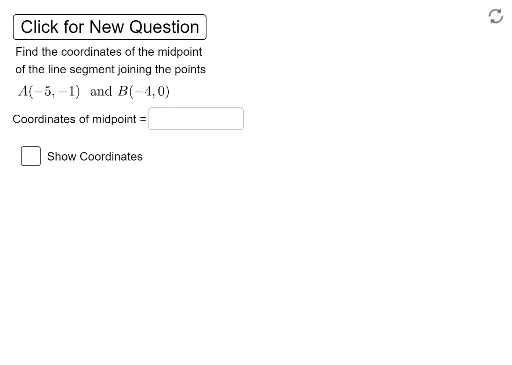
①This example demonstrates an interactive GeoGebra exercise for practicing the calculation and verification of the midpoint of a line segment. ②The core mathematical concept is the midpoint formula in coordinate geometry, where the midpoint's coordinates are the averages of the corresponding endpoint coordinates. ③Construction details: The Random command generates random coordinates (xA, yA, xB, yB) for endpoints A and B; the Segment command creates the segment; the Midpoint command computes the midpoint C; Textfield and InputBox objects allow students to enter their guessed midpoint coordinates; a button (button1) triggers validation, and text objects (text1, text2, text3) provide feedback on correctness. ④This resource is suitable for middle or high school students learning introductory analytic geometry, serving as a classroom practice tool or self-study exercise to reinforce the midpoint formula and coordinate arithmetic.
GeoGebra Commands & Parameters
Random(-5, 5) → xARandom(-5, 5) → yARandom(-5, 5) → xBRandom(-5, 5) → yBSegment(A, B) → fMidpoint(f) → CTextfield(D) → InputBox1
AI Drawing Prompt Reference
Draw a line segment with randomly generated endpoints and mark its midpoint. The coordinates of the endpoints are randomly determined, and the midpoint's coordinates are the averages of the endpoints' coordinates. Add text labels for the line segment and midpoint, and set up an input box for users to enter the midpoint coordinates. Click a button to compare the user's input with the actual midpoint coordinates, providing feedback on correctness.
The prompt above was compiled from the original drawing commands and is for reference only.