
Practice: Identifying Features of Graphs with Quadratic Functions
Loading the math board and drawing, please wait…
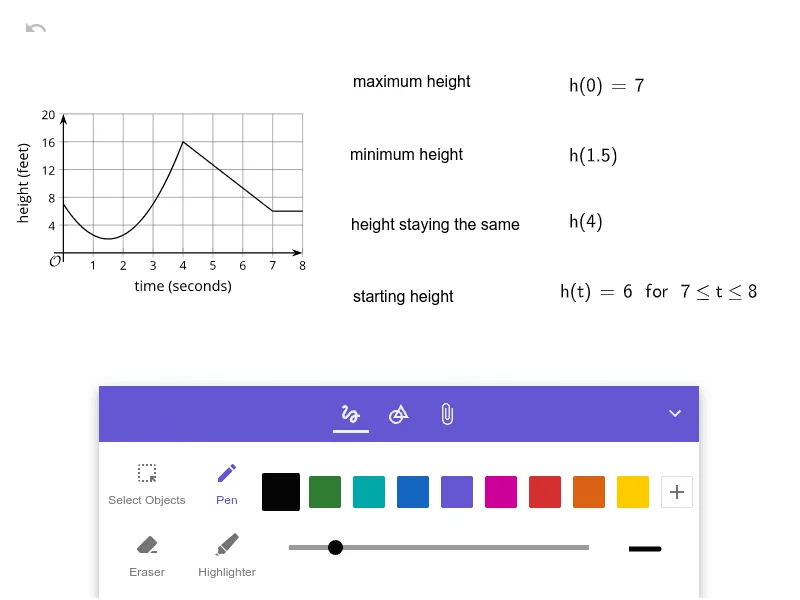
This example is designed to help learners identify and summarize the key visual features of graphs, with a focus on quadratic functions, and to compare how graph shapes change when basic graph operations are applied (e.g., combining functions). The main mathematical ideas include the definition of functions, characteristic properties of quadratic graphs (opening direction, axis of symmetry, vertex, intercepts, and overall shape), and graph combination via addition to observe how the resulting graph is affected. In the construction, the provided source summary contains no explicit GeoGebra commands, but the essential build steps can be inferred: define one or more functions to generate curve/graph objects in GeoGebra, use algebraic addition of function expressions to create a combined function (and thus a new curve), and use interactive viewing (such as changing parameters or comparing displayed graphs) to highlight and verify the graph features. Suitable for middle-school to early high-school math practice and for classroom activities on graph interpretation and quadratic-function reasoning.
AI Drawing Prompt Reference
Draw a graph featuring multiple quadratic functions to highlight key features like direction of opening, axis of symmetry, vertex, and intercepts. Combine these functions using addition to observe how the resulting graph is affected, focusing on the changes in shape and position, suitable for learning about function graph characteristics and combination operations.
The prompt above was compiled from the original drawing commands and is for reference only.