
Position Vectors Demo
Loading the math board and drawing, please wait…
This example demonstrates how to draw position vectors in 3D space and shows the coordinate relationship between their starting and ending points. Core math concepts include vector representation, 3D coordinate systems, vector magnitude and direction. Construction highlights involve commands/objects like Segment, Textfield, Intersect, Point, and Vector from GeoGebra. Suitable for high school and above students learning vectors and spatial geometry, or university-level foundational mathematics instruction.
GeoGebra Commands & Parameters
Segment(A, B) → fSegment(B, C) → gSegment(C, D) → hSegment(D, A) → iSegment(F, E) → kTextfield(ans1) → InputBox1Segment(L, I) → lTextfield(ans2) → InputBox2Textfield(ans4) → InputBox4Textfield(ans5) → InputBox5Textfield(ans6) → InputBox6Textfield(ans7) → InputBox7Textfield(ans8) → InputBox8Textfield(ans9) → InputBox9Textfield(ans3) → InputBox3Textfield(ans10) → InputBox10Textfield(ans12) → InputBox12Textfield(ans11) → InputBox11Textfield(ans13) → InputBox13Intersect(f, g) → PIntersect(f, i) → QSegment(P, Q) → jPoint(h) → RIntersect(h, i) → SSegment(R, S) → mPoint(j) → TVector(P, T) → uPoint(m) → UVector(R, U) → vIntersect(g, h) → VIntersect(h, i) → WSegment(V, W) → nIntersect(xAxis, yAxis) → ZSegment(Z, V) → pSegment(Z, W) → qPoint(n) → A_1Vector(V, A_1) → wPoint(q) → C_1Vector(Z, C_1) → bPoint(p) → D_1Point(p) → E_1Vector(D_1, E_1) → c
AI Drawing Prompt Reference
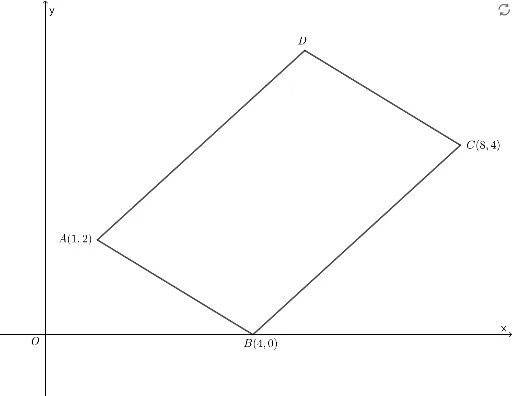
Draw a quadrilateral in 3D space with its sides and internal segments. Place points on the sides and connect them to form inner lines. From vertices or intersection points, draw position vectors to points on these lines, showing the coordinate relationship between start and end. Also draw the coordinate axes and construct vectors from the origin to points on the axes to illustrate vector representation in space.
The prompt above was compiled from the original drawing commands and is for reference only.