
Polynomial Factorization Example
Loading the math board and drawing, please wait…
In collections
UCSS Secondary Math II Unit 3B Lesson 2
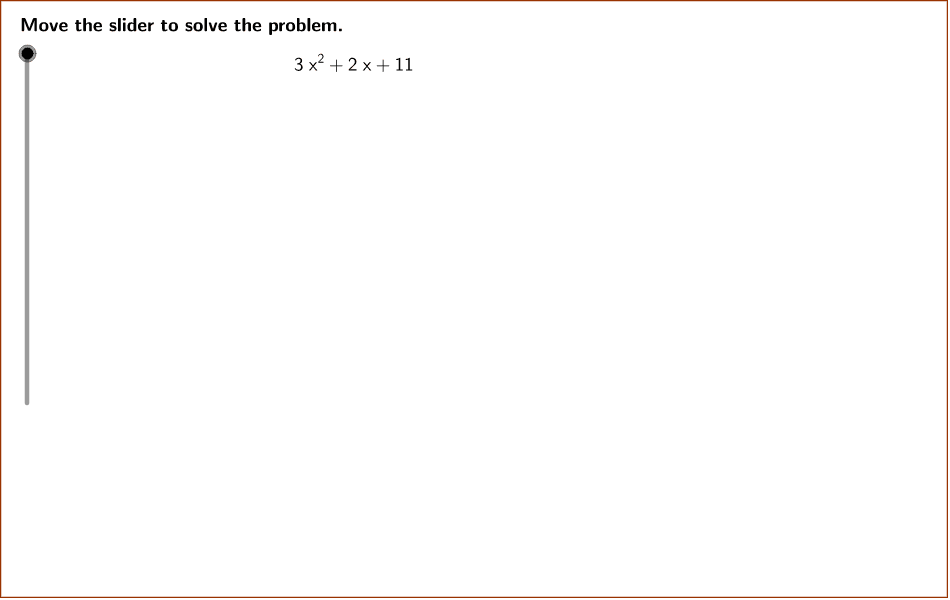
This example demonstrates how to factor the polynomial 3x^2 + 2x + 11 using polynomial identities. Key mathematical concepts include polynomials, factorization, and identities. GeoGebra commands used include GCD, Simplify, PrimeFactors, etc. Suitable for secondary school mathematics education.
GeoGebra Commands & Parameters
GCD(b, denom) → firstGCDPolygon((instructionEdge, y(Corner[1])), (instructionEdge, y(Corner[3])), Corner[4], Corner[1]) → instruction, instructionRight, instructionTop, instructionLeft, instructionBottomLine((x(Corner[1]) + ((2 * indent) * screenwidth), 0), yAxis) → align1Line((x(Corner[1]) + ((3 * indent) * screenwidth), 0), yAxis) → align2Line((x(Corner[1]) + ((4 * indent) * screenwidth), 0), yAxis) → align3Simplify((a * x^(2)) + (b * x) + c) → fPrimeFactors(absDiscriminant) → primeFactorsUnique(primeFactors) → uniqueFactorsLength(uniqueFactors) → numberFactorsSequence(CountIf[x ≟ Element[uniqueFactors, i], primeFactors], i, 1, numberFactors) → factorRepetitionsProduct(Sequence[Element[uniqueFactors, i]^(floor(Element[factorRepetitions, i] / 2)), i, 1, numberFactors]) → outsiderootIf(discriminant < 0, "i", "") → imaginary_1GCD(outsideroot, denom) → secondGCDTextfield(a) → inputBox1Textfield(b) → inputBox2Textfield(c) → inputBox3
AI Drawing Prompt Reference
Illustrate the factorization of the polynomial 3x^2 + 2x + 11 by drawing its function graph, then compute the discriminant and factorize to show real and imaginary roots, highlighting different factor components with colors, and display coefficients a, b, c as text boxes beside the graph.
The prompt above was compiled from the original drawing commands and is for reference only.