
Polygons: Convex vs. Concave Dynamic Demo
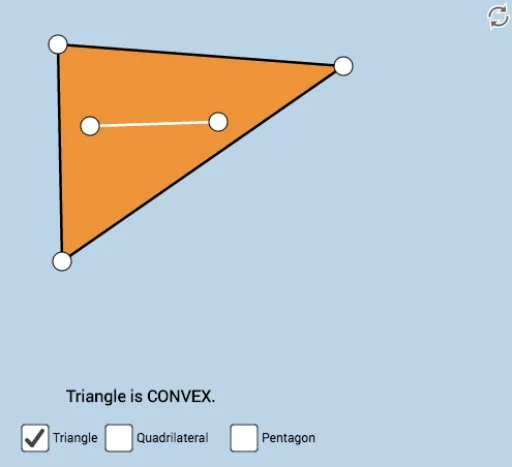
Loading the math board and drawing, please wait…
This example demonstrates the difference between convex and concave polygons through a dynamic, color-coded Illustrator. It involves core math concepts like polygon definitions, criteria for convexity/concavity, and angle measurement. Constructed using GeoGebra commands like Polygon, PointIn, Segment, and Angle. Suitable for high school mathematics education to enhance understanding of polygon classifications and properties, fostering geometric intuition.
GeoGebra Commands & Parameters
Polygon(A, B, C) → poly1, c, a, bPointIn(poly1) → DPointIn(poly1) → ESegment(D, E) → fPolygon(C, B, F, A) → poly2, c_1, b_1, f_1, a_1Segment(C, B) → gSegment(B, F) → hSegment(F, A) → iSegment(A, C) → jAngle(C, B, F) → αAngle(B, F, A) → βAngle(F, A, C) → γAngle(A, C, B) → δPointIn(poly2) → GPointIn(poly2) → HSegment(G, H) → kPolygon(C, B, I, J, A) → poly3, c_2, b_2, i_1, j_1, a_2Angle(C, B, I) → εAngle(B, I, J) → ζAngle(I, J, A) → ηAngle(J, A, C) → θSegment(C, B) → lSegment(B, I) → mSegment(I, J) → nSegment(J, A) → pSegment(A, C) → qPointIn(poly3) → KPointIn(poly3) → LSegment(K, L) → rSegment(C, B) → sSegment(B, A) → tSegment(A, C) → g_1
AI Drawing Prompt Reference
Draw a dynamic illustration showing the difference between convex and concave polygons, with two polygons and an inner one, distinguished by colors. Start by drawing a base polygon, then randomly generate two points inside it and connect them, forming a second polygon based on the connection. Next, generate two more points inside the second polygon and connect them to form a third polygon. Measure and display all interior angles of each polygon, using color changes to visually demonstrate the distinction between convex and concave polygons.
The prompt above was compiled from the original drawing commands and is for reference only.