
Points, Lines, and Planes: Constructing Intersections
Loading the math board and drawing, please wait…
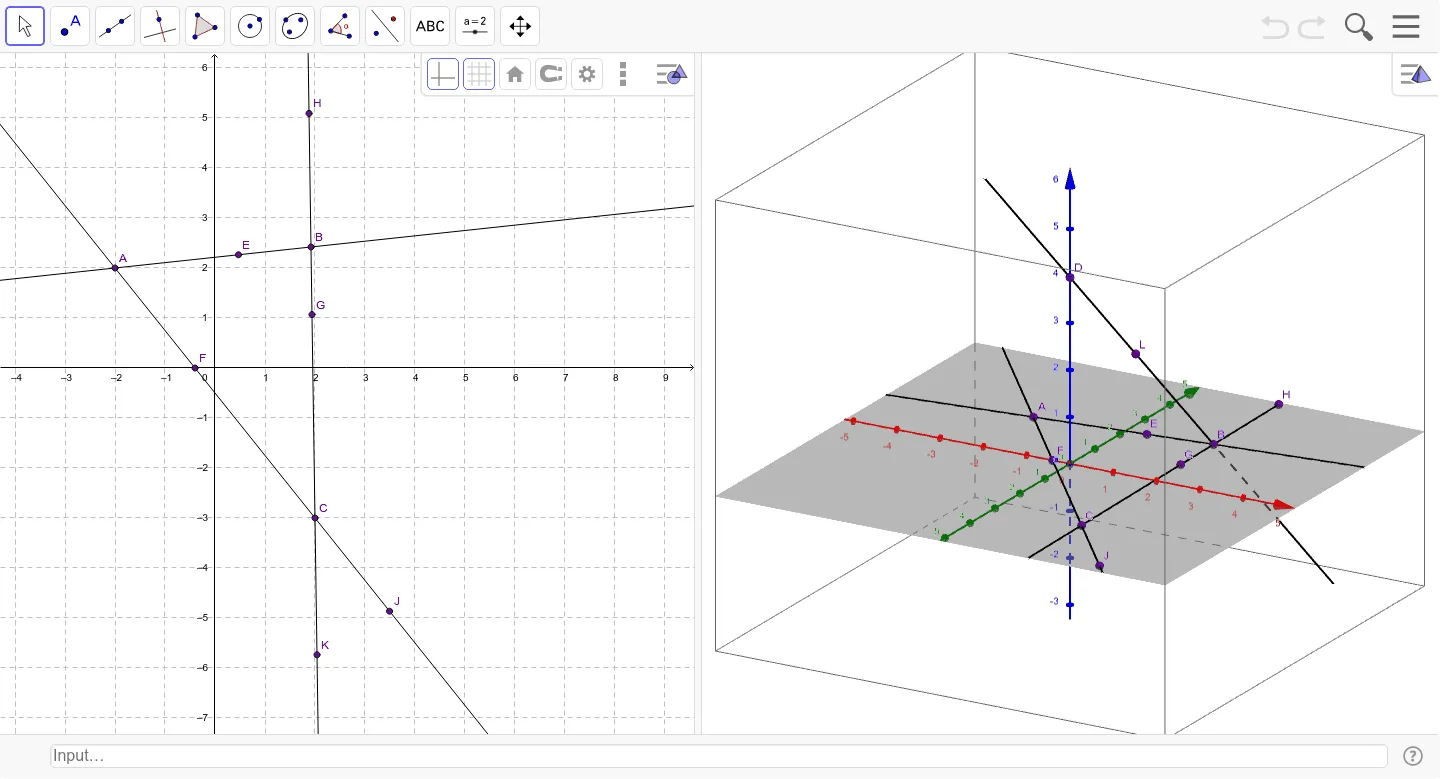
This GeoGebra applet demonstrates how to place points, construct lines, and compute their intersections to help learners build intuition about points, lines, and the spatial ideas behind planes. The main mathematical concepts include geometric representations of points and lines, and the construction of intersection points derived from two intersecting lines. Construction is driven by the provided commands: Point is used to create multiple point objects (A, B, C, D, E, F, G, H, J, K, L), Line is used to define several line objects (a, b, c, d), and Intersect is applied to obtain intersection points that can then be investigated within the coordinate geometry setting. Suitable for middle school to high school students, and for classroom demonstrations introducing the geometry vocabulary of points, lines, and constructed relationships.
GeoGebra Commands & Parameters
Point(zAxis) → DLine(D, B) → aLine(A, B) → bLine(C, A) → cLine(C, B) → dPoint(b) → EIntersect(c, xAxis) → FPoint(d) → GPoint(d) → HPoint(c) → JPoint(d) → KPoint(a) → L
AI Drawing Prompt Reference
Draw a 3D geometric figure with two intersecting lines a and b, and two other lines c and d. First, place a point D on the z-axis, then draw line a through D and B, line b through A and B, line c through C and A, and line d through C and B. Next, place a point E on line b, the intersection of line c and the x-axis is point F, place two points G and H on line d, place a point J on line c, and place a point K on line d. Finally, place a point L on line a.
The prompt above was compiled from the original drawing commands and is for reference only.