
Point-Slope Practice
Loading the math board and drawing, please wait…
In collections
Parallel Lines and Planes
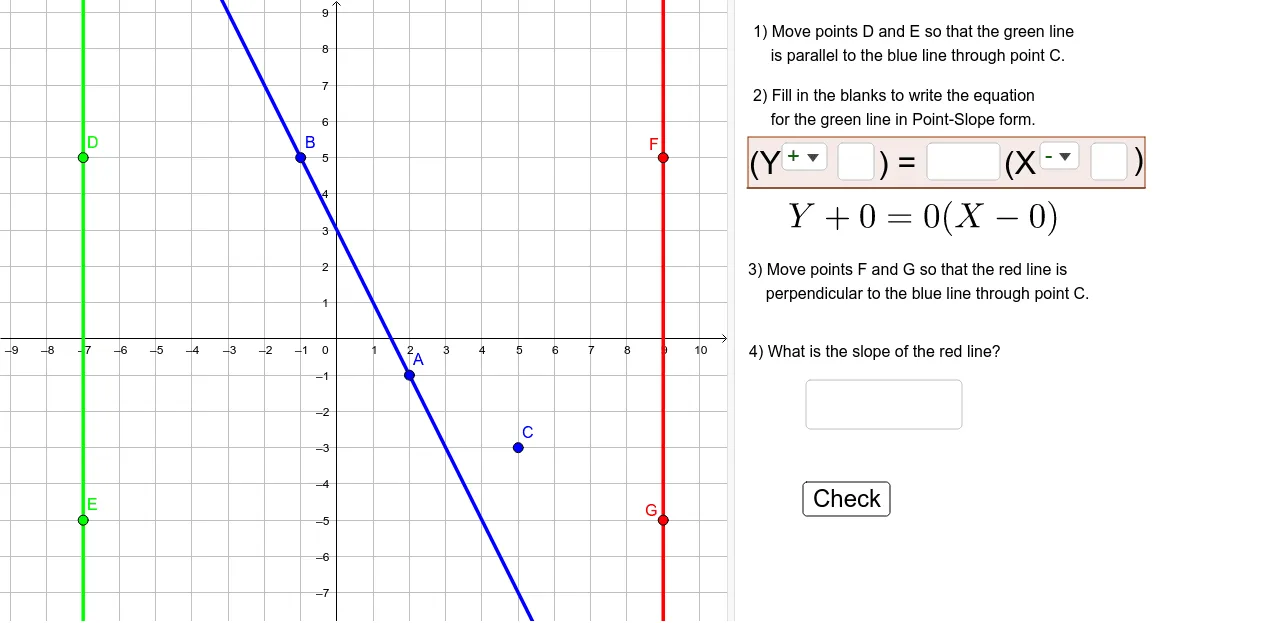
This example demonstrates how to use the point-slope form to draw a line. Key mathematical concepts include the point-slope form, linear equations, and coordinate geometry. Using GeoGebra commands such as Line, RandomElement, and KeepIf, dynamic generation and adjustment of lines can be achieved. Suitable for middle school and above students to practice linear equations.
GeoGebra Commands & Parameters
Line(D, E) → line1Line(A, B) → originalLineLine(C, originalLine) → parallelLineRandomElement(list1) → bKeepIf(x ≠ b, list1) → list3RandomElement(list3) → dKeepIf(x ≠ d, list3) → list5RandomElement(list1) → aKeepIf(x ≠ a, list1) → list2RandomElement(list2) → cTextfield() → InputY_1Textfield() → InputMTextfield() → InputX_1SelectedElement(sign1List) → sign1SelectedElement(sign2List) → sign2Segment(Q, P) → gSelectedIndex(sign1List) → indexSign1SelectedIndex(sign2List) → indexSign2Element(sign1ListA, indexSign1) → jElement(sign1ListA, indexSign2) → kRandomElement(list5) → fLine(F, G) → line3KeepIf(x ≠ c, list2) → list4RandomElement(list4) → eOrthogonalLine(C, originalLine) → perpendicularLineTextfield() → InputSlopeSlope(perpendicularLine) → slopeAnswerFractionText(slopeResponse) → slopeTextPoint(g) → HOrthogonalLine(H, g) → hPoint(g) → IOrthogonalLine(I, g) → iPoint(h) → JLine(J, g) → lIntersect(i, l) → KPolygon(H, I, K, J) → poly1, h_1, i_1, k_1, j_1
AI Drawing Prompt Reference
Draw a graph consisting of lines, including an original line, a parallel line, a perpendicular line, and a triangle formed by these lines. The graph should illustrate the application of the point-slope form of linear equations, ensuring clear visibility of the parallel and perpendicular relationships between the lines.
The prompt above was compiled from the original drawing commands and is for reference only.