
pmm Construction
Loading the math board and drawing, please wait…
In collections
Symmetry, Transformation and Tessellation
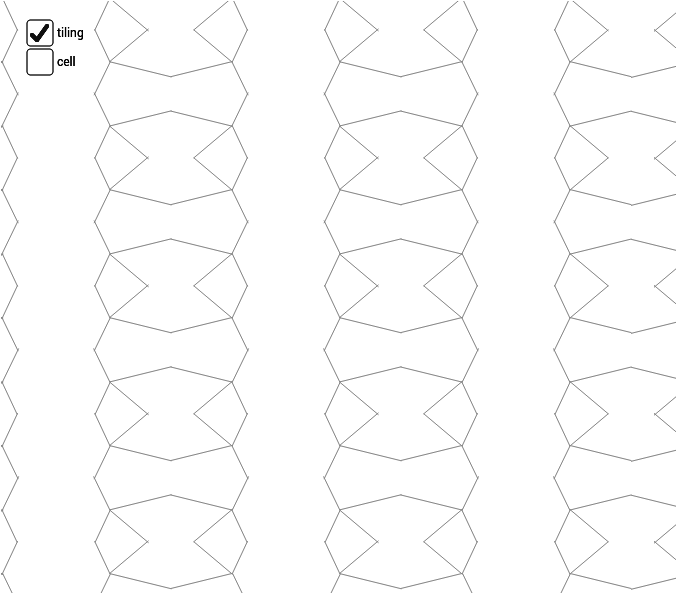
This example demonstrates pmm symmetry construction, involving geometric transformations and constructions. It uses commands like Point, Midpoint, Vector, Segment, Mirror, Sequence, etc. Suitable for middle school and above students or teachers for geometric construction and transformation learning.
GeoGebra Commands & Parameters
Point(xAxis) → BMidpoint(A, B) → EMidpoint(B, D) → FMidpoint(D, C) → GMidpoint(C, A) → HMidpoint(C, B) → IVector(A, B) → uVector(A, C) → vVector(C, D) → wVector(B, D) → aSegment(H, F) → bSegment(E, G) → cSegment(J, K) → eSegment(K, L) → fSegment(K, M) → gSegment(K, N) → hMirror(cell1, c) → cell2Mirror(cell1, b) → cell3Mirror(cell2, b) → cell4Sequence(Translate[Sequence[Translate[tile, Vector[(n * u)]], n, -3, 3], Vector[(m * v)]], m, -3, 3) → tilingLine(G, E) → lLine(D, B) → mLine(H, F) → nLine(C, D) → pLine(C, A) → kLine(A, B) → qSegment(H, I) → rSegment(E, I) → s
AI Drawing Prompt Reference
Draw a geometric figure with pmm symmetry, including points A, B, C, D and their midpoints E, F, G, H, I, as well as vectors u, v, w, and a. Start by drawing points A and B, then find their midpoint E. Draw vectors u and v, and use these vectors and points to construct other key elements such as line segments b, c, e, f, g, h, r, and s. Finally, use mirroring and translation operations to generate the entire pmm symmetric figure.
The prompt above was compiled from the original drawing commands and is for reference only.