
Plot Points on Coordinate System
Loading the math board and drawing, please wait…
In collections
学习 GeoGebra 经典应用
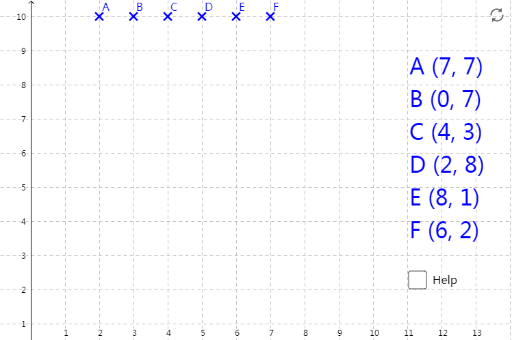
This example demonstrates how to plot points on a coordinate system. Key mathematical concepts include points and coordinates in coordinate geometry. Using GeoGebra commands such as RP_3, RP_5, RP_1, etc., points are constructed and their positions in the coordinate system are observed. Suitable for students at junior high school level and above.
GeoGebra Commands & Parameters
(Random[0, 10], Random[0, 9])(Random[0, 10], Random[0, 9])(Random[0, 10], Random[0, 9])(Random[0, 10], Random[0, 9])(Random[0, 10], Random[0, 9])(Random[0, 10], Random[0, 9])Boolean a(false)Point A(2, 10)Point B(3, 10)Point C(4, 10)Point D(5, 10)Point E(6, 10)Point F(7, 10)
AI Drawing Prompt Reference
Draw several points on a two-dimensional coordinate system. First, generate about 6 randomly distributed points with x-coordinates between 0 and 10 and y-coordinates between 0 and 9, showing an irregular scattered pattern. Then create a horizontal row of points at the top of the coordinate plane where all points share the same y-coordinate of 10, with x-coordinates at 2, 3, 4, 5, 6, and 7 respectively, forming an evenly spaced horizontal array. The overall composition displays two distinct distribution characteristics: randomly scattered points alongside an orderly horizontal point sequence.
The prompt above was compiled from the original drawing commands and is for reference only.