
Plane and Geometric Transformations Demo
Loading the math board and drawing, please wait…
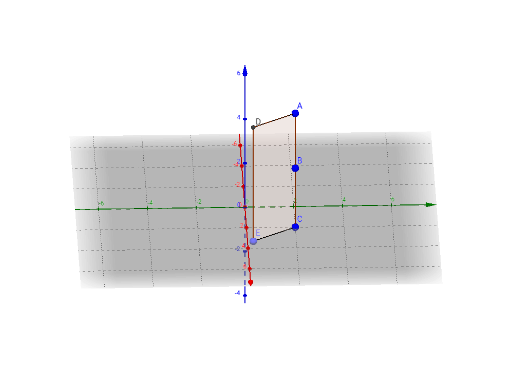
This example demonstrates the construction and transformation of geometric figures like planes, polygons, and circles. It involves core math concepts including geometric construction, transformations (translation, dilation), and inequality representation. Key GeoGebra commands used are Segment, Circle, Point, Polygon, Line, Intersect, with objects like a, g, e for transformations and interactions. Suitable for high school mathematics teaching to understand geometric transformations and inequality representation.
GeoGebra Commands & Parameters
Segment(C, A) → gCircle(C, a, zAxis) → ePoint(e) → EPolygon(A, C, E) → poly2, e_1, a_2, c_1Line(E, g) → fLine(A, a_2) → hIntersect(f, h) → DPolygon(C, E, D, A) → poly1, c, e_2, d, a_1Segment(A, D) → iSegment(E, C) → jSegment(A, D) → k
AI Drawing Prompt Reference
Draw a plane with a triangle and a circle where one side of the triangle is tangent to the circle, showing the transformation of the triangle through translation and dilation to form another triangle, with lines indicating inequality relationships, all elements clearly visible.
The prompt above was compiled from the original drawing commands and is for reference only.