
Module 2 Reflection Sketch Example
Loading the math board and drawing, please wait…
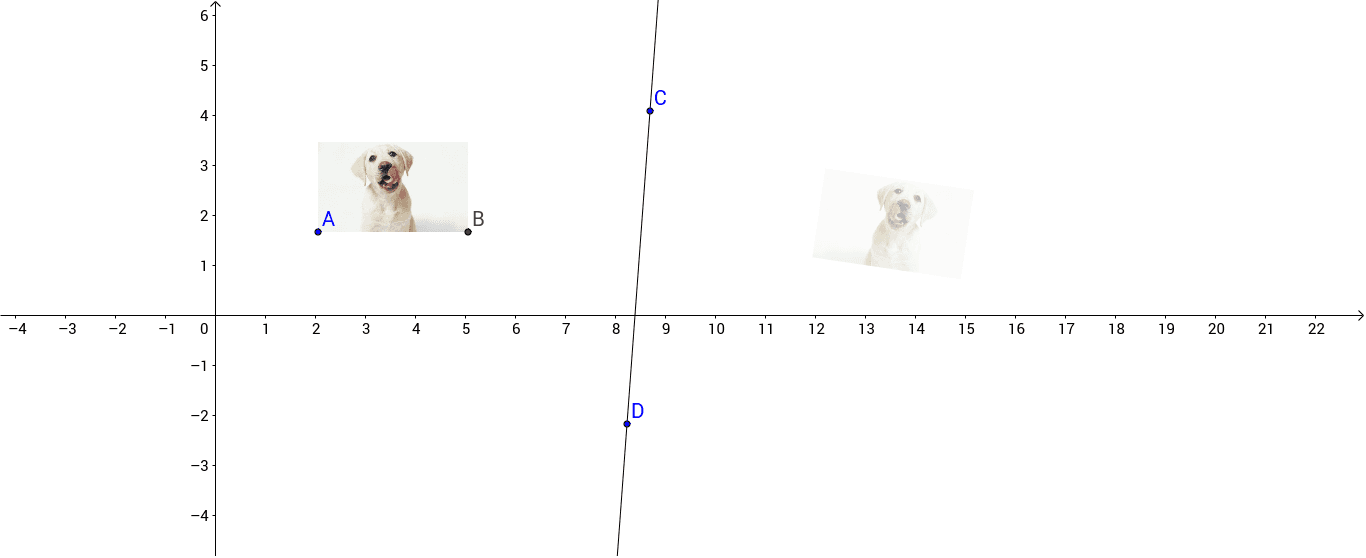
This example demonstrates how to perform axial reflection of a geometric figure in GeoGebra, producing a mirrored copy. Core mathematical concepts include reflection transformations, symmetry, perimeter computation, inequalities, exponential functions, piecewise functions, and linear regression. Construction highlights: the Line command creates the reflection axis, and the Mirror command reflects objects pic1, points A, B, C, D, line a, and pic1'. Suitable for high‑school geometry and function lessons, as well as university‑level transformation geometry or data‑fitting illustrations.
GeoGebra Commands & Parameters
Line(C, D) → aMirror(pic1, a) → pic1'
AI Drawing Prompt Reference
Draw an axial reflection example of a geometric figure, including a mirror axis and a mirrored copy of the original shape. First, draw a line connecting two points to serve as the reflection axis, then use this axis to reflect a geometric shape and its mirrored copy, demonstrating the symmetry effect.
The prompt above was compiled from the original drawing commands and is for reference only.