
Perpendicular Line Construction
Loading the math board and drawing, please wait…
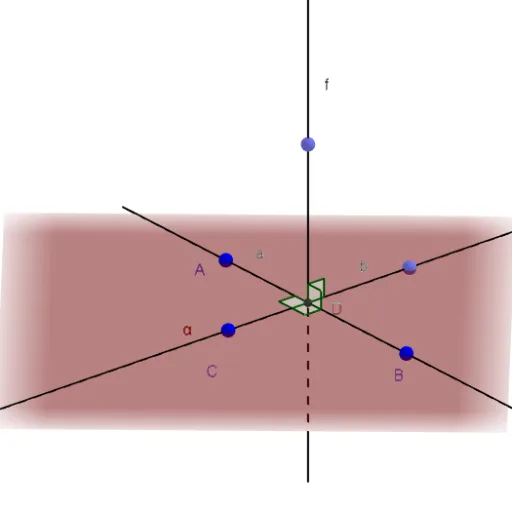
This example demonstrates how to construct perpendicular lines using a ruler and compass. It involves core mathematical concepts like perpendicular and oblique lines, and angle measurement. Key GeoGebra commands and objects used in the construction include Line, Plane, OrthogonalLine, Intersect, Angle, and Point. Suitable for middle school students and above learning geometric constructions and spatial relationships.
GeoGebra Commands & Parameters
Line(A, B) → aPlane(C, B, A) → c_1Plane(C, B, A) → αOrthogonalLine(C, a) → bIntersect(a, b) → DOrthogonalLine(D, α) → fAngle(C, D, B) → βPoint(f) → C_1Angle(C_1, D, B) → γPoint(b) → EAngle(A, D, C) → δPoint(b) → FAngle(F, D, C_1) → ε
AI Drawing Prompt Reference
Draw a line and two planes, where the first line is perpendicular to the plane, and the second line is perpendicular to the first line. Mark three angles and two intersection points to show the relationship between perpendicular and oblique lines, and measure the angles.
The prompt above was compiled from the original drawing commands and is for reference only.