
Perpendicular Bisector and Equidistance Theorem (GeoGebra)
Loading the math board and drawing, please wait…
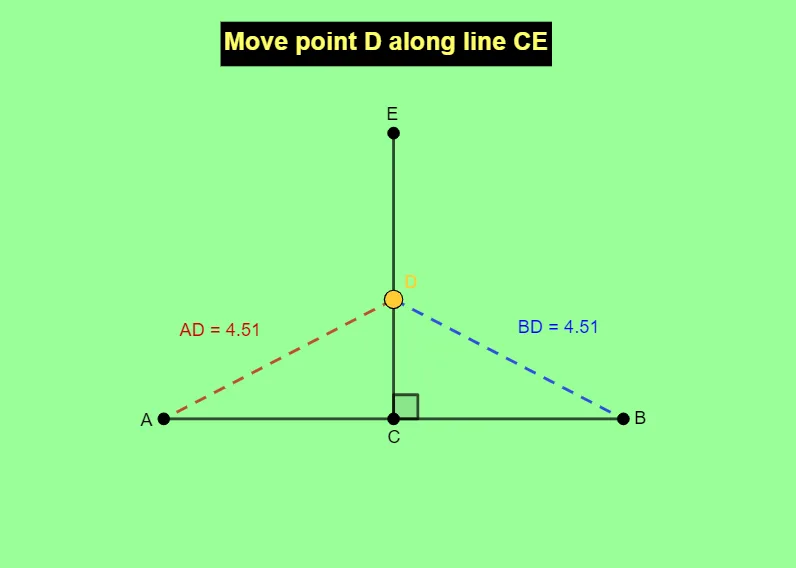
This example demonstrates the equidistance phenomenon by constructing the perpendicular bisector of a line segment: every point on (or constrained by) the perpendicular bisector has equal distances to the segment’s two endpoints. It focuses on core geometry ideas such as the perpendicular bisector as the locus of points equidistant from two given points, and the relationship between right angles/constructed angle constraints and distance equality. In GeoGebra, the construction uses commands including Segment to build the base segment and connecting elements (e.g., links related to AD and BD), Point to define key geometric objects (A, B, C, E, D), and Angle to enforce the necessary geometric constraints via auxiliary objects (f, g, α) and labeling (text1). Suitable for middle-school geometry instruction, interactive construction practice, and classroom demonstrations of locus and equidistance reasoning.
GeoGebra Commands & Parameters
Segment(A, B) → fPoint(f) → CSegment(C, E) → gAngle(B, C, E) → αPoint(g) → DSegment(D, A) → ADSegment(D, B) → BD
AI Drawing Prompt Reference
On a plane, start with two fixed points A and B and draw the segment AB as the base. Construct a key point C that will be used with a second point E, then draw the segment CE connecting C to E. Impose an angular constraint using the three points B, C, and E so that the angle at C between CB and CE is enforced. Create another point D associated with the segment CE, then draw segments DA and DB to connect D to the endpoints A and B. The final diagram should highlight the geometric relationship where D’s position is determined by the angle construction together with its connections to A and B.
The prompt above was compiled from the original drawing commands and is for reference only.