
Perimeter of Irregular Polygon
Loading the math board and drawing, please wait…
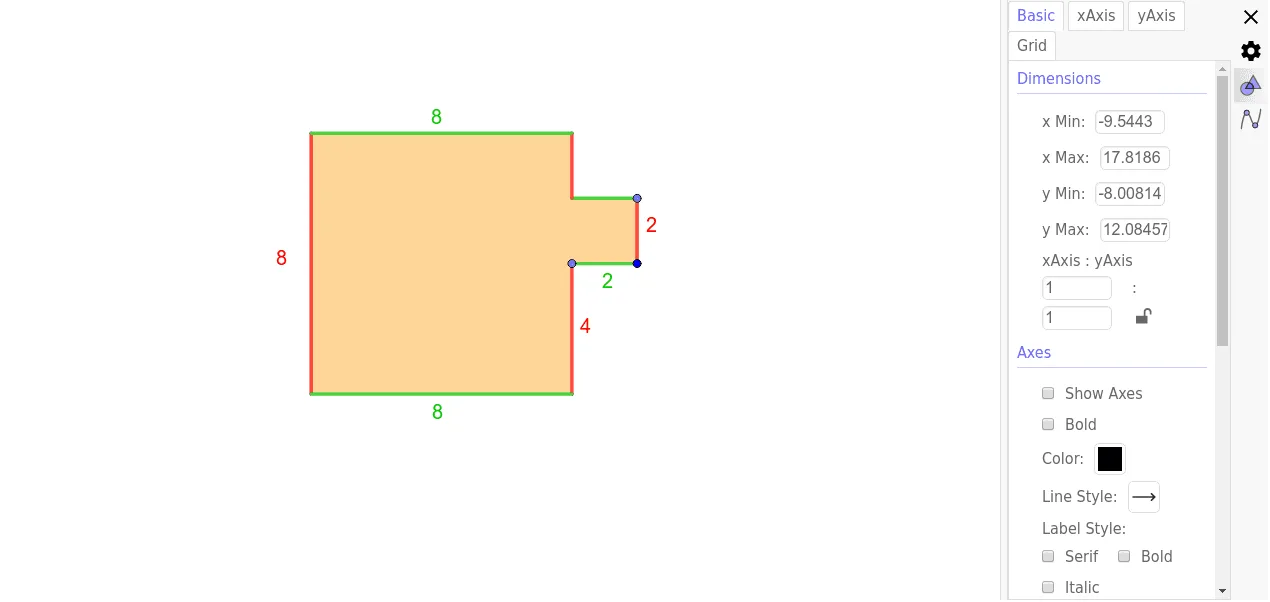
This example demonstrates the calculation of the perimeter of an irregular polygon. Key mathematical concepts include polygons, line segments, and similar triangles. Using GeoGebra commands such as Line, Point, Intersect, Polygon, and Segment, an irregular polygon is constructed and its perimeter is calculated. Suitable for middle school and above students to learn geometric construction and perimeter calculation.
GeoGebra Commands & Parameters
Line(A, xAxis) → fLine(A, yAxis) → gPoint(g) → BLine(B, xAxis) → hPoint(f) → CLine(C, yAxis) → iIntersect(xAxis, yAxis) → DIntersect(h, yAxis) → EIntersect(i, xAxis) → FPoint(i) → JLine(J, xAxis) → jIntersect(j, yAxis) → HIntersect(xAxis, yAxis) → IIntersect(i, xAxis) → KIntersect(h, i) → LPolygon(H, J, L, B, A, C, K, I) → poly1, h_1, j_1, l, b, a, c, k, i_1Intersect(h_1, i_1) → GIntersect(h, i) → MIntersect(l, b) → NSegment(M, N) → nIntersect(k, i_1) → OSegment(J, M) → rIntersect(h_1, i_1) → QSegment(O, Q) → tPoint(c) → RSegment(R, O) → pSegment(H, J) → m
AI Drawing Prompt Reference
Draw an irregular polygon by first creating two perpendicular lines that intersect at the origin. From the origin, draw line segments along the horizontal and vertical axes to determine the vertices of the polygon. Connect these vertices to form the irregular polygon and calculate its perimeter.
The prompt above was compiled from the original drawing commands and is for reference only.