
Perimeter and Area of a Rectangle by John Ulbright
Loading the math board and drawing, please wait…
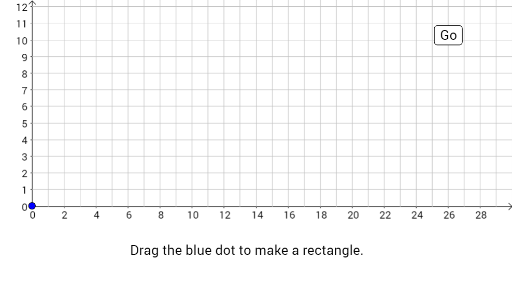
This example demonstrates the calculation of the perimeter and area of a rectangle. Key mathematical concepts include the formulas for area and perimeter. Using GeoGebra commands such as Polygon, Sequence, and Rotate, the example dynamically shows how changes in the dimensions of the rectangle affect its perimeter and area. Suitable for middle school and above students learning geometry and basic mathematical concepts.
GeoGebra Commands & Parameters
Sort({x(A), x(B), x(C), x(D)}) → xvaluesSort({y(A), y(B), y(C), y(D)}) → yvaluesPolygon(A, D, B, C) → poly1, a, d, b, cSequence(Point[{xmin + c - i, ymin}], i, 1, c) → list8Sequence(Point[{xmin, ymin + i}], i, 0, a) → list5Sequence(Rotate[Point[{xmin + c, ymin + a - i}], (permtimer * ((-π)) / 2), (xmin + c, ymin)], i, 1, a) → list7Rotate(list5, (permtimer * ((-π)) / 2), list7(a)) → list12Sequence(Rotate[Point[{xmin + i, ymin + a}], (permtimer * ((-π)) / 2), list7(a)], i, 1, c) → list6Rotate(list12, (permtimer * ((-π)) / 2), list6(c)) → list13Rotate(list13, (permtimer * ((-π)) / 2), F) → list14Rotate(list6, (permtimer * ((-π)) / 2), list6(c)) → list11Sequence(Point[{Min[xvalues] + i, Min[yvalues] - 4}], i, 0, Area - 1) → arealistFlatten(Sequence[Sequence[Point[{Min[xvalues] + i, Min[yvalues] + j}], i, 0, c - 1], j, 0, a - 1]) → list1Sequence((list1(i) * (1 - areatimer)) + (arealist(i) * areatimer), i, 1, Area) → list2Sequence(Polygon[list2(i), list2(i) + (1, 0), 4], i, 1, Area) → list3Sequence(Polygon[arealist(i), arealist(i) + (1, 0), 4], i, 1, Area) → list4Sequence(Text[i, arealist(i) + (0.1, 0.2)], i, 1, Area) → areanumbersFlatten({Reverse[list8], Reverse[list7], Reverse[list11], Reverse[list14]}) → list9Sequence(Point[{Min[xvalues] + i, Min[yvalues] - 2}], i, 0, perm) → permlistSequence((permlist(i) * permmover) + (list9(i) * (1 - permmover)), i, 1, Length[list9]) → list10Sequence(Segment[list10(i), list10(i + 1)], i, 1, perm) → list15Max(a + 1, ((R - L) * 17.4 / 32) + BOT) → T
AI Drawing Prompt Reference
Draw a rectangle and dynamically show changes in its perimeter and area. First, create four vertices A, B, C, and D, then use these vertices to draw a rectangle. Next, use rotation to dynamically change the rectangle's size while calculating and displaying its perimeter and area.
The prompt above was compiled from the original drawing commands and is for reference only.