
Perfect Squares 1-30
Loading the math board and drawing, please wait…
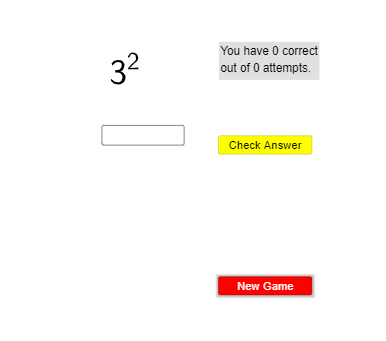
This example demonstrates perfect squares from 1 to 30. It involves the concepts of sequences and coordinate geometry. Using GeoGebra commands such as Sequence, RandomElement, IndexOf, Element, Textfield, and Mod, a series of perfect squares can be constructed. Suitable for middle school and above students to learn about the concepts and properties of perfect squares.
GeoGebra Commands & Parameters
Sequence(LaTeX["" + (u) + "^{2}"], u, 1, 30) → l1, {"1^{2}", "2^{2}", "3^{2}", "4^{2}", "5^{2}", "6^{2}", "7^{2}", "8^{2}", "9^{2}", "10^{2}", "11^{2}", "12^{2}", "13^{2}", "14^{2}", "15^{2}", "16^{2}", "17^{2}", "18^{2}", "19^{2}", "20^{2}", "21^{2}", "22^{2}", "23^{2}", "24^{2}", "25^{2}", "26^{2}", "27^{2}", "28^{2}", "29^{2}", "30^{2}"}RandomElement(l1) → text1, "3^{2}"Sequence(u^(2), u, 1, 30) → l2, {1, 4, 9, 16, 25, 36, 49, 64, 81, 100, 121, 144, 169, 196, 225, 256, 289, 324, 361, 400, 441, 484, 529, 576, 625, 676, 729, 784, 841, 900}IndexOf(text1, l1) → aElement(l2, a) → bTextfield(ans) → InputBox1Mod(a, 10) → c
AI Drawing Prompt Reference
Plot the perfect squares from 1 to 30, such as 1^2, 2^2, 3^2, ..., 30^2. Randomly select one of these perfect squares and indicate its position. Then, mark the corresponding point on the number line. Finally, calculate and display the remainder when this perfect square is divided by 10.
The prompt above was compiled from the original drawing commands and is for reference only.