
Percentage of a Quantity (Bar Models)
Loading the math board and drawing, please wait…
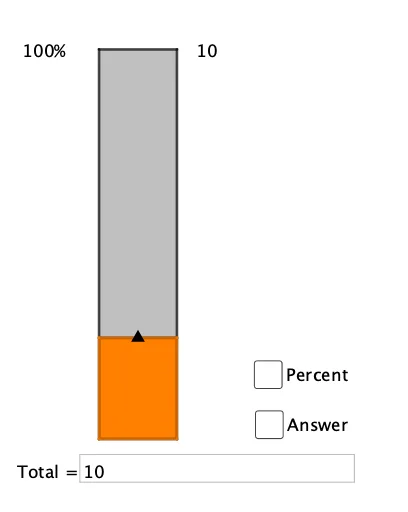
This example demonstrates how to calculate the percentage of a quantity using bar models. Core math concepts involved include percentages, arithmetic operations, and set theory. GeoGebra commands and objects used in construction are Intersect, Point, Segment, Polygon, Textfield, and Text. Suitable for middle school students and above to learn and understand percentage problems, ideal for mathematics teaching and visual demonstration.
GeoGebra Commands & Parameters
Intersect(xAxis, yAxis) → APoint(xAxis) → BPoint(yAxis) → CSegment(Midpoint[C, D], Midpoint[A, B]) → fPoint(f) → ESegment(F, G) → gPolygon(C, D, B, A) → q1, c, d, b, aPolygon(G, B, A, F) → q2, g_1, b_1, a_1, f_1Textfield(total) → InputBox1Text(round((percent * 100)) + "%", F - (1, 0.1)) → text2Text(round(value), G + (0.1, -0.1)) → text4
AI Drawing Prompt Reference
Draw a rectangle ABCD representing the total quantity and a rectangle ABFG representing the percentage of the total quantity. Label the percentage value in the bottom-right corner of ABFG and the total value in the bottom-left corner.
The prompt above was compiled from the original drawing commands and is for reference only.