
Pentagonal Pyramid: 3D Construction and Net
Loading the math board and drawing, please wait…
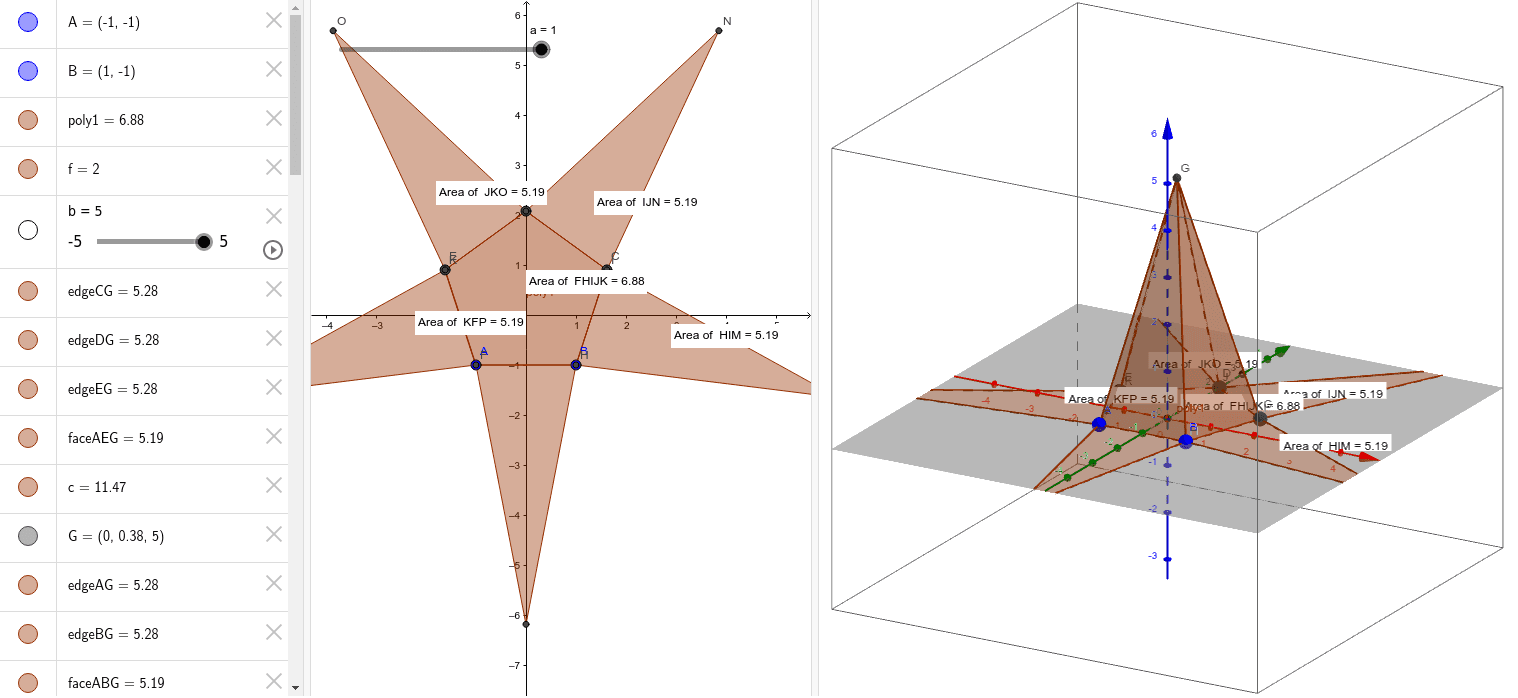
This GeoGebra example demonstrates how to construct a pentagonal pyramid and its net in 3D space. The core mathematical concepts include solid geometry, specifically the definition of a pyramid with a regular pentagonal base, lateral triangular faces, vertices, edges, and the relationship between a 3D solid and its 2D net. The construction uses the Polygon command to create the base pentagon (poly1), the Pyramid command to generate the pyramid, and the Net command to unfold it. Multiple points (A, B, C, D, E as base vertices, G as apex) and faces (faceABG, faceBCG, etc.) are defined, along with edges (edgeAG, edgeBG, etc.). The PointIn command is also used to place points on faces. Although the original tags mention vectors, median, exponent, multiplication, and frequency distribution, the primary focus is on 3D geometric construction. This resource is suitable for high school or introductory college students learning solid geometry, helping them visualize pyramid structure, nets, and spatial reasoning. It can be used for classroom demonstrations and interactive exploration.
GeoGebra Commands & Parameters
Polygon(A, B, 5) → poly1, f, g, h, i, j, C, D, EPyramid(poly1, b) → c, G, edgeDG, edgeEG, faceABG, faceBCG, faceCDG, faceDEG, faceAEG, edgeAG, edgeBG, edgeCGNet(c, a) → d, F, P, faceFHIJK, faceFHL, faceHIM, faceIJN, faceJKO, faceFKP, edgeFH, edgeHI, edgeIJ, H, edgeJK, edgeFK, edgeFL, edgeHL, edgeHM, edgeIM, edgeIN, edgeJN, edgeJO, edgeKO, I, edgeKP, edgeFP, J, K, L, M, N, OPointIn(faceJKO) → PointfaceJKOPointIn(faceFKP) → PointfaceFKPPointIn(faceFHIJK) → PointfaceFHIJKPointIn(faceHIM) → PointfaceHIMPointIn(faceIJN) → PointfaceIJN