
Pattern Blocks Area & Perimeter: Hexagon and Trapezoid Puzzle Model
Loading the math board and drawing, please wait…
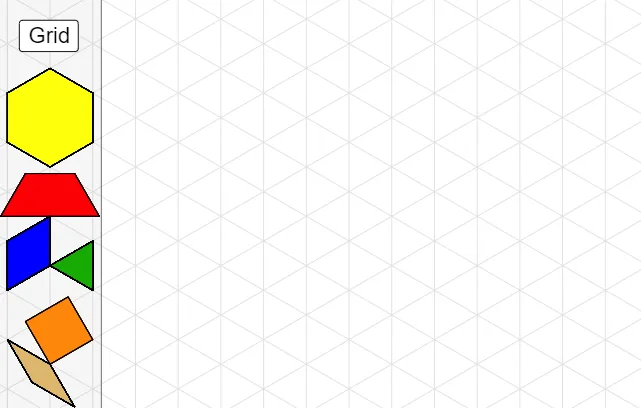
This example demonstrates how to construct a pattern-block style arrangement (including hexagons and trapezoids) and then measure/compare their area and perimeter within the same geometric setup. It focuses on core ideas of polygon area and perimeter, the role of isosceles-triangle properties and symmetry in making the constructions consistent, and the use of arithmetic mean for comparison when aggregating measurements. Construction highlights taken from the provided GeoGebra build include: creating base units with Hexagon and Square, assembling boundaries with Polygon and Trapezoid, using Midpoint to define key segment relationships, and employing Circle and Point to anchor crucial points under circular constraints. Repetition and alignment are achieved via Rotate and Mirror transformations, while TanRhombus provides a tangent/rhombus-related construction to control angles. Suitable for middle school to early university geometry lessons, especially for teaching geometric construction, measurement, and reasoning about area/perimeter.
GeoGebra Commands & Parameters
Hexagon(C) → l, m, n, p, q, r, Hexagon_{1}, DHexagon(E) → s, t, a, b, c, d, Hexagon_{2}, FHexagon(G) → e, f_1, g_1, h_1, i_1, j_1, Hexagon_{3}, HTool2(I) → Trapezoid_{1}, k_1, l_1, m_1, n_1, JTool2(O) → Trapezoid_{4}, d_1, e_1, f_2, g_2, PTool4(Q) → h_2, i_2, j_2, k_2, R, Parallelogram_{1}Tool4(S) → l_2, m_2, n_2, p_2, T, Parallelogram_{2}Tool4(U) → q_2, r_2, s_2, t_2, V, Parallellogram_{1}Tool4(W) → a_2, b_2, c_2, d_2, Z, Parallelogram_{3}Tool4(A_1) → e_2, f_3, g_3, h_3, B_1, Parallelogram_{4}Tool4(C_1) → i_3, j_3, k_3, l_3, D_1, Parallelogram_{5}Tool3(E_1) → m_3, n_3, p_3, F_1, Triangle_{1}Tool3(G_1) → q_3, r_3, s_3, H_1, Triangle_{2}Tool3(I_1) → t_3, a_3, b_3, J_1, Triangle_{3}Tool3(K_1) → c_3, d_3, e_3, L_1, Triangle_{4}Tool3(M_1) → f_4, g_4, h_4, N_1, Triangle_{5}Tool3(O_1) → i_4, j_4, k_4, P_1, TriangleTool3(Q_1) → l_4, m_4, n_4, R_1, Triangle_{6}Tool3(S_1) → p_4, q_4, r_4, T_1, Triangle_{7}Tool3(U_1) → s_4, t_4, a_4, V_1, Triangle_{8}Tool3(W_1) → b_4, c_4, d_4, Z_1, Triangle_{9}Tool3(A_2) → e_4, f_5, g_5, B_2, Traingle_{1}Tool3(C_2) → h_5, i_5, j_5, D_2, Triangle_{10}Hexagon(A_3) → f_6, g_6, h_6, i_6, j_6, k_5, Hexagon_{4}, B_3Hexagon(C_3) → l_5, m_5, n_5, p_5, q_5, r_5, Hexagon_{5}, D_3Hexagon(E_2) → s_5, t_5, a_5, b_5, c_5, d_5, Hexagon_{6}, F_2Hexagon(G_2) → e_5, f_7, g_7, h_7, i_7, j_7, Hexagon_{7}, H_2Tool2(I_2) → Trapezoid_{5}, k_6, l_6, m_6, n_6, J_2Tool4(Q_2) → h_8, i_8, j_8, k_7, R_2, Parallelogram_{6}Tool4(S_2) → l_7, m_7, n_7, p_7, T_2, Parallelogram_{7}Tool4(U_2) → q_7, r_7, s_7, t_7, V_2, Parallelogram_{8}Tool4(W_2) → a_7, b_7, c_7, d_7, Z_2, Parallelogram_{9}Tool4(A_4) → e_7, f_9, g_9, h_9, B_4, Parallelogram_{10}Tool4(C_4) → i_9, j_9, k_8, l_8, D_4, Parallelogram_{11}Tool3(E_3) → m_8, n_8, p_8, F_3, Triangle_{11}Tool3(G_3) → q_8, r_8, s_8, H_3, Triangle_{12}Tool3(I_3) → t_8, a_8, b_8, J_3, Triangle_{13}Tool3(K_3) → c_8, d_8, e_8, L_3, TraingleTool3(M_3) → f_{10}, g_{10}, h_{10}, N_3, Triangle_{14}Tool3(O_3) → i_{10}, j_{10}, k_9, P_3, Triangle_{15}Tool3(Q_3) → l_9, m_9, n_9, R_3, Triangle_{16}Tool3(S_3) → p_9, q_9, r_9, T_3, Triangle_{17}Circle(A_6, 1) → c_{10}Point(c_{10}) → B_6Rotate(B_6, 90°, A_6) → B'_1Rotate(A_6, (-(90°)), B_6) → A'_1Square(C_6) → D_6, Square_{1}, f_{12}, g_{12}, h_{12}, i_{12}Square(E_4) → F_4, Square_{2}, j_{12}, k_{10}, l_{10}, m_{10}Square(G_4) → H_4, Square_{3}, n_{10}, p_{10}, q_{10}, r_{10}Circle(A_7, 1) → c_{11}Point(c_{11}) → B_7Rotate(B_7, 150°, A_7) → B'_2Midpoint(B'_2, B_7) → C_7Mirror(A_7, C_7) → A'_2Polygon(A_7, B_7, A'_2, B'_2) → Rhombus_{2}, a_{10}, b_{10}, a'_1, b'_1TanRhombus(D_7) → E_5, Rhombus_{3}, f_{14}, g_{14}, h_{14}, i_{14}TanRhombus(F_5) → G_5, Rhombus_{4}, j_{14}, k_{12}, l_{12}, m_{12}TanRhombus(H_5) → I_5, Rhombus_{5}, n_{12}, p_{12}, q_{12}, r_{12}TanRhombus(J_5) → K_5, Rhombus_{6}, s_{11}, t_{11}, d_{11}, e_{11}TanRhombus(L_5) → M_5, Rhombus_{7}, f_{15}, g_{15}, h_{15}, i_{15}TanRhombus(N_5) → O_5, Rhombus_{8}, j_{15}, k_{13}, l_{13}, m_{13}TanRhombus(P_5) → Q_4, Rhombus_{9}, n_{13}, p_{13}, q_{13}, r_{13}Hexagon(A_8) → f_{16}, g_{16}, h_{16}, i_{16}, j_{16}, k_{14}, Hexagon_{8}, B_8Hexagon(C_8) → l_{14}, m_{14}, n_{14}, p_{14}, q_{14}, r_{14}, Hexagon_{9}, D_8Hexagon(E_6) → s_{12}, t_{12}, a_{11}, b_{11}, c_{12}, d_{12}, Hexagon_{10}, F_6Hexagon(G_6) → e_{12}, f_{17}, g_{17}, h_{17}, i_{17}, j_{17}, Hexagon_{11}, H_6Hexagon(A_{11}) → f_{18}, g_{18}, h_{18}, i_{18}, j_{18}, k_{15}, Hexagon, B_9Tool4(S_{12}) → l_{18}, m_{18}, n_{18}, p_{18}, T_4, Parallelogram_{12}Tool4(U_{12}) → q_{18}, r_{18}, s_{16}, t_{16}, V_4, Parallelogram_{13}Circle(A_{26}, 1) → c_{17}Point(c_{17}) → B_{11}Rotate(B_{11}, 150°, A_{26}) → B'_3Midpoint(B'_3, B_{11}) → C_{26}Mirror(A_{26}, C_{26}) → A'_3Polygon(A_{26}, B_{11}, A'_3, B'_3) → Rhombus_{10}, a_{16}, b_{16}, a'_2, b'_2TanRhombus(D_{10}) → E_{18}, Rhombus_{11}, f_{23}, g_{23}, h_{21}, i_{20}TanRhombus(F_8) → G_{18}, Rhombus_{12}, j_{20}, k_{18}, l_{19}, m_{19}
AI Drawing Prompt Reference
Draw a pattern composed of multiple hexagons and trapezoids. Start by drawing three hexagons, then fill the gaps between them with trapezoids. Use the rotate and translate tools to replicate the trapezoids and hexagons symmetrically. Finally, measure the area and perimeter of each shape and compare their sizes.
The prompt above was compiled from the original drawing commands and is for reference only.