
Parametric Point on Segment AB Using Sliders and Coordinate Definitions
Loading the math board and drawing, please wait…
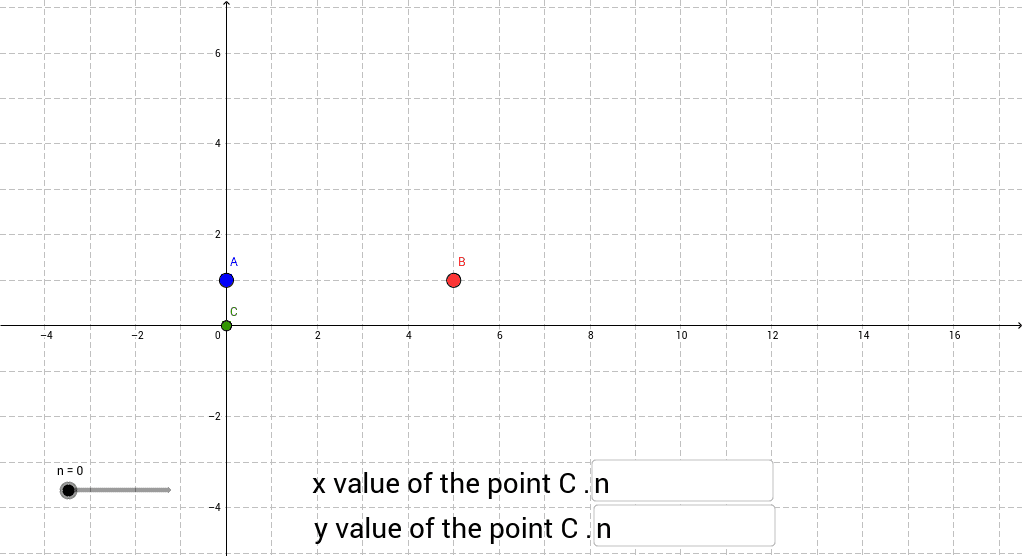
This example demonstrates a point C moving along segment AB as its coordinate definition is adjusted by a slider or input values. It highlights coordinate geometry, parametric representation of a line segment, variables, conditional definitions, and dynamic control of geometric objects. Construction notes: Textfield and inputBox1/inputBox2 are used to enter or display parameters, If is used to handle conditions or coordinate definitions, and objects A, B, n, a, b, c support the construction of the moving point C. It is suitable for middle-school to high-school lessons on analytic geometry, introductory parametric equations, and GeoGebra dynamic construction, showing how parameter changes affect a point's position.
GeoGebra Commands & Parameters
Textfield(a) → inputBox1Textfield(b) → inputBox2If(b > 0, 0 * n + b, b) → c
AI Drawing Prompt Reference
Create a line segment AB, and use two sliders to input parameters a and b. The y-coordinate of point C is b when b is greater than 0, and 0 otherwise. Adjust the values of sliders a and b to observe the movement of point C along segment AB.
The prompt above was compiled from the original drawing commands and is for reference only.