
Find Lines from Clues
Loading the math board and drawing, please wait…
In collections
Lines and linear equations
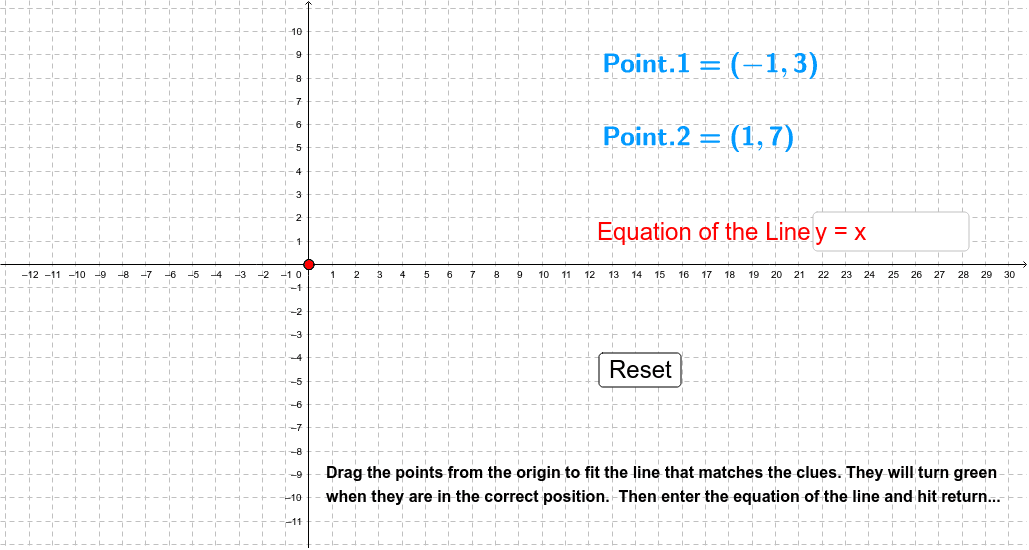
This example demonstrates how students can match clues based on a given point and a slope, or two points, to build the graph of a line. The core math concepts involved include coordinate geometry and the equation of a line. Construction highlights using GeoGebra commands/objects from the summary: RandomElement, Random, FractionText, Intersect, Line, Textfield; objects: B, j, f, e, b, a, C, D, E, c, d, text2, F, A, m, n, p, "point="+(FormulaText[F])+, button1, g, r, inputBox1, pic1, text1, e_1, f_1, G, text1_1, k, F1, text3. Suitable for high school mathematics teaching on coordinate geometry, helping students understand and master the method of drawing line equations.
GeoGebra Commands & Parameters
RandomElement({-2, -1, 1, 2}) → jRandom(-5, 5) → fRandom(-4, 4) → eRandomElement({-4, -3, -2, -1, 1, 2, 3, 4}) → bRandom(-4, 4) → aFractionText(c) → dIntersect(3, 3) → ALine(B, C) → mLine(C, D) → nLine(D, E) → pLine(F, (e + b, f + a)) → gTextfield(r) → inputBox1Random(-4, 4) → e_1Random(-5, 5) → f_1RandomElement({1, 2}) → k
AI Drawing Prompt Reference
In a coordinate system, randomly generate a point and a slope to draw a line. Then, generate two random points to draw another line. Also, draw a third line based on a given point and a random offset. Label all key points and lines, and display relevant coordinates and equations to help students understand how to draw line equations from clues.
The prompt above was compiled from the original drawing commands and is for reference only.