
Parametric Exploration of Circles and Ellipses 1.1
Loading the math board and drawing, please wait…
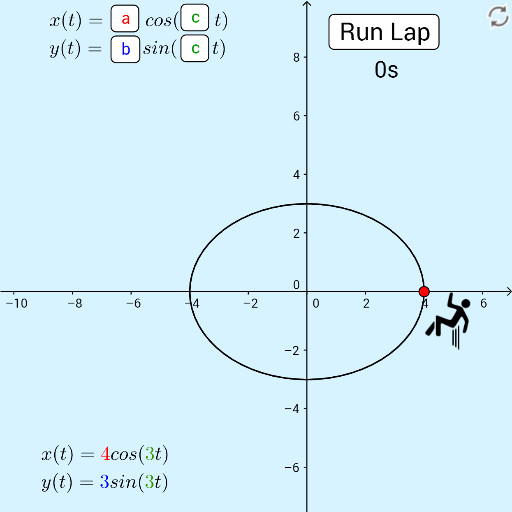
①This interactive GeoGebra example dynamically demonstrates how parametric equations generate circles and ellipses, allowing users to switch between modes and observe the effect of parameter changes. ②Core mathematical concepts include parametric equations, circle and ellipse definitions, trigonometric functions, locus/trajectory thinking, and the Pythagorean theorem in geometric contexts. ③Construction highlights: uses CurveCartesian to plot parametric curves, Circle to create circles, Tangent and Intersect to analyze tangents and intersection points, with sliders, buttons, and a timer for animation and interactivity. Objects include parameters a, b, c, p, r, points A, B, and text labels. ④Suitable for high school and above, ideal for teaching analytic geometry and parametric equations, or for inquiry-based learning to explore how parameters shape conic sections.
GeoGebra Commands & Parameters
CurveCartesian((a * cos((c * t))), (b * sin((c * t))), t, 0, ((2 * π)) / c) → pCurveCartesian((a * cos((c * t))), (b * sin((c * t))), t, 0, trace / c) → rCircle(A, 2) → dTangent(A, p) → fIntersect(d, f, 1) → B