
Parametric Equations of Epicycloid
Loading the math board and drawing, please wait…
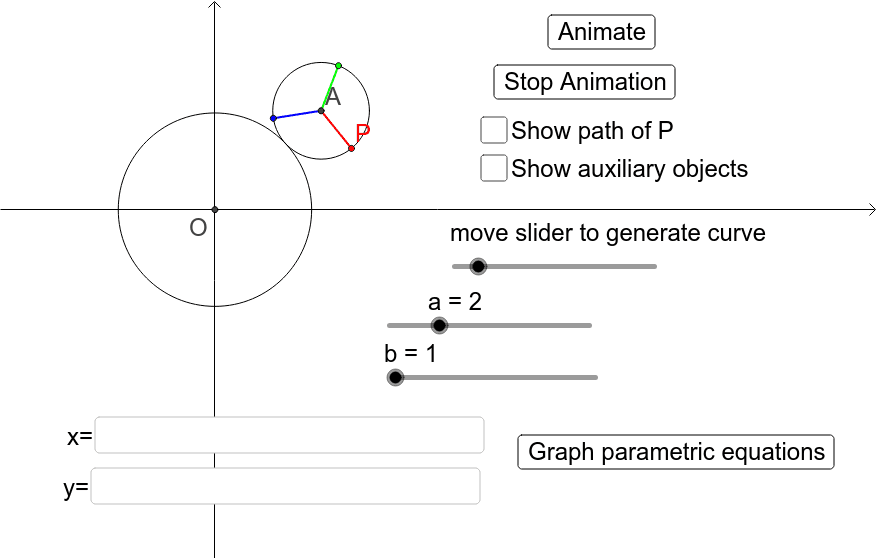
This GeoGebra example demonstrates the construction of an epicycloid, the curve traced by a point on a circle rolling without slipping around the outside of a fixed circle. It focuses on deriving and visualizing the parametric equations of the epicycloid. Core mathematical concepts include parametric equations, geometric transformations (rotation), and locus generation. The construction uses commands such as Circle, CircleArc, Rotate, Intersect, Segment, Locus, Angle, and Textfield, along with interactive sliders and input boxes to adjust parameters. Suitable for high school or early college students studying parametric curves, coordinate geometry, and geometric transformations, as well as for classroom demonstrations of curve generation.
GeoGebra Commands & Parameters
Intersect(xAxis, yAxis) → OCircle(O, a) → cCircle(A, b) → dCircleArc(O, (a, 0), B_1) → eRotate(B_1, (t * a / b), A) → PCircleArc(A, B_1, P) → fSegment(A, P) → gLocus(P, t) → loc1Angle((a, 0), O, A) → αAngle(O, A, P) → βSegment(O, B_1) → jSegment(B_1, A) → kSegment(O, C) → lSegment(C, P) → mSegment(A, B) → hSegment(D, P) → iRotate(P, (2 * π / 3), A) → P'Rotate(P, (4 * π / 3), A) → P'_1Segment(A, P'_1) → pSegment(A, P') → qTextfield(text1) → InputBox1Textfield(text2) → InputBox2