
Parametric Curves Introduction Example
Loading the math board and drawing, please wait…
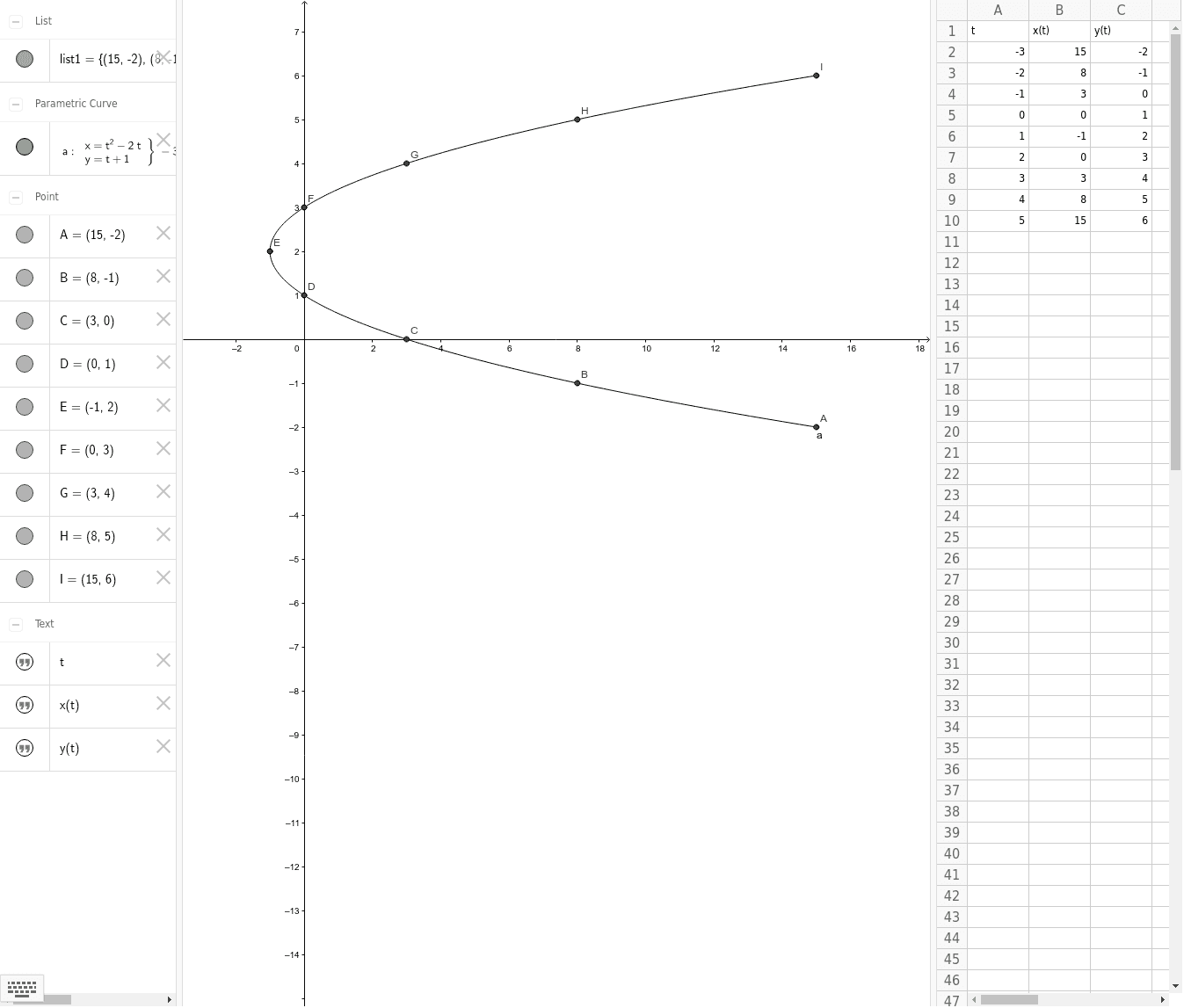
This example demonstrates the basic concept of parametric curves. By adjusting the parameters, observe the changes in the curve. Key mathematical concepts include parametric equations and coordinate geometry. The CurveCartesian command is used to draw the curve. Suitable for high school mathematics education and students learning parametric curves.
GeoGebra Commands & Parameters
CurveCartesian(t^(2) - (2 * t), t + 1, t, -3, 5) → a
AI Drawing Prompt Reference
Draw a parametric curve with x-coordinate as t squared minus 2t and y-coordinate as t plus 1, where t ranges from -3 to 5. Observe how parameter changes affect the curve and understand the basic concepts of parametric equations and coordinate geometry.
The prompt above was compiled from the original drawing commands and is for reference only.