
Parallelograms in Triangle
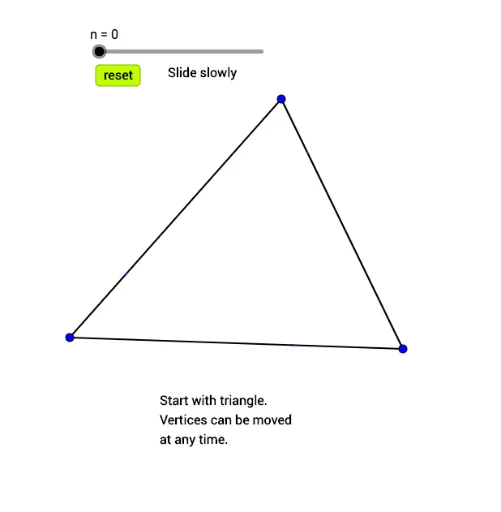
Loading the math board and drawing, please wait…
This example demonstrates how to construct parallelograms within a triangle and explore their properties. Key math concepts include parallelograms, median values, piecewise functions, equilateral triangles, upper and lower sums or Riemann sums, and scalene triangles. Construction highlights the use of GeoGebra commands like Segment, Min, Point, Line, Intersect, Ray, and objects such as A, B, C, f, g, h, len, etc. Suitable for high school mathematics education, focusing on geometric constructions and function approximation.
GeoGebra Commands & Parameters
Segment(A, B) → fSegment(B, C) → gSegment(C, A) → hMin({f, g, h}) → lenSegment(A, D) → iSegment(B, E) → jSegment(C, F) → kPoint(i) → GPoint(j) → HPoint(k) → KSegment(A, A + (t2 * (G - A))) → lSegment(B, B + (t2 * (H - B))) → mSegment(C, C + (t2 * (K - C))) → n_2Segment(A, A + (t3 * (F' - A))) → pSegment(B, B + (t3 * (D' - B))) → qSegment(C, C + (t3 * (E' - C))) → rLine(D', f) → sLine(H, g) → tIntersect(s, t) → ISegment(H, H + (t4 * (I - H))) → aSegment(D', D' + (t4 * (I - D'))) → bLine(G, f) → cLine(F', h) → dIntersect(c, d) → JSegment(G, G + (t4 * (J - G))) → eSegment(F', F' + (t4 * (J - F'))) → f_1Line(K, h) → g_1Line(E', g) → h_1Intersect(g_1, h_1) → LSegment(E', E' + (t4 * (L - E'))) → i_1Segment(K, K + (t4 * (L - K))) → j_1Ray(C, L) → k_1Ray(A, J) → l_1Intersect(k_1, l_1) → MSegment(A, A + (t5 * (M - A))) → m_1Segment(B, B + (t5 * (M - B))) → n_1Segment(C, C + (t5 * (M - C))) → p_1
AI Drawing Prompt Reference
Draw a triangle ABC, then construct three parallelograms inside the triangle, each starting from one of the triangle's vertices. Adjust parameters t2, t3, t4, and t5 to change the position and size of the parallelograms, forming a complex structure of multiple parallelograms within the triangle.
The prompt above was compiled from the original drawing commands and is for reference only.