
Parallelograms in Everyday Life: Properties, Sketching, and Examples
Loading the math board and drawing, please wait…
In collections
Parallelogramm und Raute: Eigenschaften und Konstruktionen
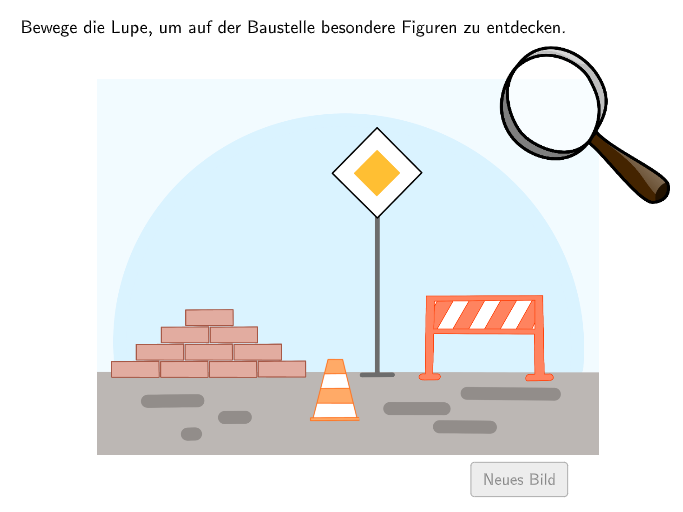
This GeoGebra lesson uses interactive prompts to help students spot parallelograms in everyday contexts, sketch an arbitrary-size parallelogram, and find multiple real-life examples. It focuses on the math behind special quadrilaterals—especially how to describe and apply parallelogram properties (e.g., opposite sides parallel, corresponding relationships of sides/angles) and how to reason from geometric structure. Construction and interaction are built using GeoGebra tools reflected in the command list: Textfield for instructions/inputs; Point for key vertices; Polygon to form the quadrilateral; Midpoint and Distance to derive geometric measures; Element and IndexOf for object handling; Min to select constrained values; Zip/Join to manage grouped elements; plus multiple indexed points (e.g., A3/B3 through A6/B6), a starting/current point concept (PStart, PCurrent), and step control parameters (step, maxstep, resx, resy) to support guided creation and sketching. Suitable for primary grades (around levels 5–6) and early geometry practice in class or as an assignment.
GeoGebra Commands & Parameters
Textfield(input1) → Eingabefeld1Textfield(input2) → Eingabefeld2Polygon(Sequence[Rotate[PCenter + (spyRadius - 0.05, 0), K, PCenter], K, 0, 360°, 0.5]) → spyGlassPoint(Line[PCurrent, xAxis]) → PCurrent2Midpoint(B2, C2) → D2Midpoint(B3, C3) → D3Midpoint(B4, C4) → D4Midpoint(B5, C5) → D5Midpoint(B6, C6) → D6Midpoint(B7, C7) → D7Midpoint(B8, C8) → D8Midpoint(B9, C9) → D9Midpoint(B10, C10) → D10Midpoint(B11, C11) → D11Midpoint(B12, C12) → D12Midpoint(B13, C13) → D13Midpoint(B14, C14) → D14Midpoint(B15, C15) → D15Midpoint(B16, C16) → D16Midpoint(B17, C17) → D17Distance(D2, PCenter) → E2Distance(D3, PCenter) → E3Distance(D4, PCenter) → E4Distance(D5, PCenter) → E5Distance(D6, PCenter) → E6Distance(D7, PCenter) → E7Distance(D8, PCenter) → E8Distance(D9, PCenter) → E9Distance(D10, PCenter) → E10Distance(D11, PCenter) → E11Distance(D12, PCenter) → E12Distance(D13, PCenter) → E13Distance(D14, PCenter) → E14Distance(D15, PCenter) → E15Distance(D16, PCenter) → E16Distance(D17, PCenter) → E17Element({CellRange(E1,E17,"numeric"), CellRange(E21,E30,"numeric"), CellRange(E31,E49,"numeric")}, exnum) → distancesCurrentIndexOf(Min[distancesCurrent], distancesCurrent) → displayIndexMin(Distance[D1, PCenter], Distance[F1, PCenter]) → E1Midpoint(B20, C20) → D20Midpoint(B21, C21) → D21Midpoint(B22, C22) → D22Midpoint(B23, C23) → D23Midpoint(B24, C24) → D24Midpoint(B25, C25) → D25Midpoint(B26, C26) → D26Distance(D21, PCenter) → E21Distance(D22, PCenter) → E22Distance(D23, PCenter) → E23Distance(D24, PCenter) → E24Distance(D25, PCenter) → E25Distance(D26, PCenter) → E26Min(Zip[Distance[A, PCurrent], A, currLocationsA20]) → E20Zip(Z ≤ tolerance, Z, distancesCurrent) → distanceCheckElement({CellRange(A1,A17,"point"), CellRange(A21,A30,"point"), CellRange(A31,A49,"point")}, exnum) → allPointsAElement({CellRange(B1,B17,"point"), CellRange(B21,B30,"point"), CellRange(B31,B49,"point")}, exnum) → allPointsBElement({CellRange(C1,C17,"point"), CellRange(C21,C30,"point"), CellRange(C31,C49,"point")}, exnum) → allPointsCZip(Polygon[M, N, O, O + Vector[N, M]], M, allPointsC, N, allPointsA, O, allPointsB) → allParallelogramsZip(IntersectPath[Z, spyGlass], Z, allParallelograms) → allVisibleParallelsMidpoint(B27, C27) → D27Midpoint(B28, C28) → D28Midpoint(B29, C29) → D29Midpoint(B30, C30) → D30Distance(D27, PCenter) → E27Distance(D28, PCenter) → E28Distance(D29, PCenter) → E29Distance(D30, PCenter) → E30Midpoint(B31, C31) → D31Midpoint(B32, C32) → D32Midpoint(B33, C33) → D33Midpoint(B34, C34) → D34Midpoint(B35, C35) → D35Midpoint(B36, C36) → D36Midpoint(B37, C37) → D37Midpoint(B38, C38) → D38Midpoint(B39, C39) → D39Midpoint(B40, C40) → D40Midpoint(B41, C41) → D41Midpoint(B42, C42) → D42Midpoint(B43, C43) → D43Midpoint(B44, C44) → D44Midpoint(B45, C45) → D45Midpoint(B46, C46) → D46Midpoint(B47, C47) → D47Midpoint(B48, C48) → D48Midpoint(B49, C49) → D49Distance(D31, PCenter) → E31Distance(D32, PCenter) → E32Distance(D33, PCenter) → E33Distance(D34, PCenter) → E34Distance(D35, PCenter) → E35Distance(D36, PCenter) → E36Distance(D37, PCenter) → E37Distance(D38, PCenter) → E38Distance(D39, PCenter) → E39Distance(D40, PCenter) → E40Distance(D41, PCenter) → E41Distance(D42, PCenter) → E42Distance(D43, PCenter) → E43Distance(D44, PCenter) → E44Distance(D45, PCenter) → E45Distance(D46, PCenter) → E46Distance(D47, PCenter) → E47Distance(D48, PCenter) → E48Distance(D49, PCenter) → E49Element({CellRange(D1,D17,"point"), CellRange(D21,D30,"point"), CellRange(D31,D49,"point")}, exnum) → currLocationsJoin(Sequence[Shuffle[{1, 2, 3}], m, 1, 35]) → listExnum
AI Drawing Prompt Reference
Draw an arbitrary-size parallelogram, label key vertices, and calculate midpoints of sides and distances from the center. Highlight opposite sides being parallel and corresponding side/angle relationships. Display multiple side midpoints, sort them by distance from the center (closest to farthest), and use a text box to input parameters for dynamic adjustment of the shape size and number of displayed midpoints.
The prompt above was compiled from the original drawing commands and is for reference only.