
Parallelogram, Rectangle, Rhombus, and Square
Loading the math board and drawing, please wait…
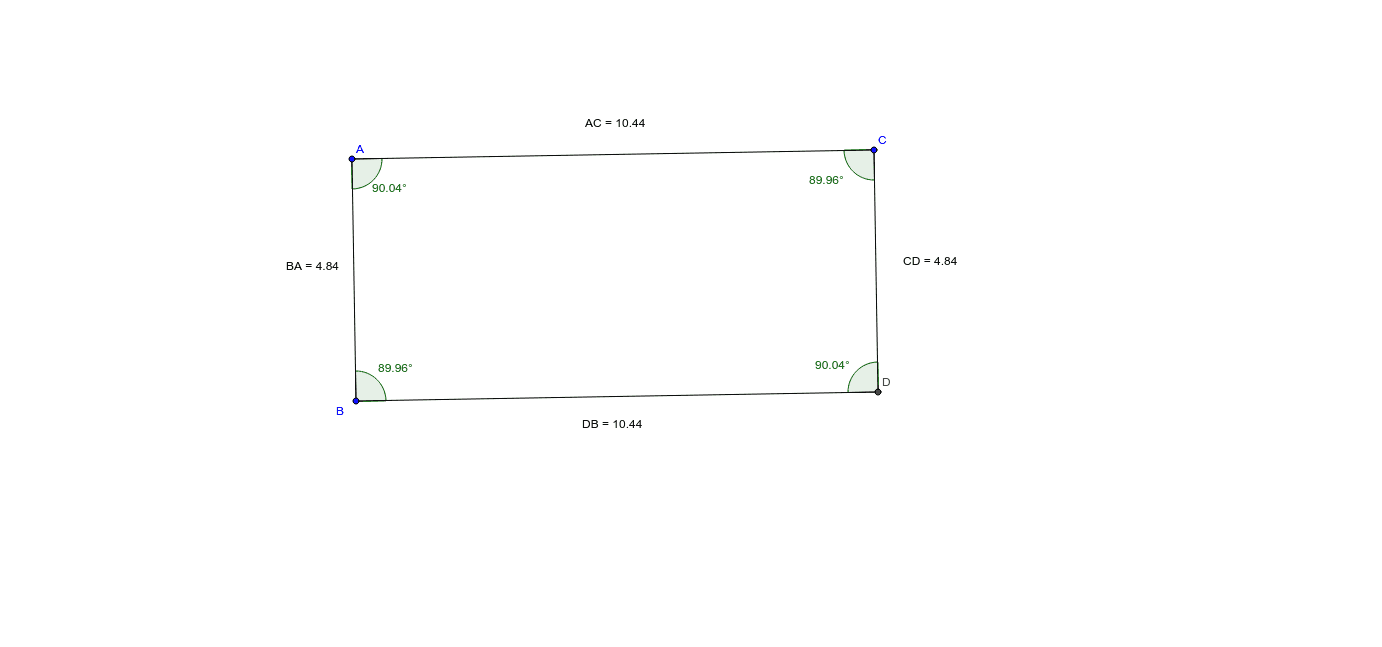
This example demonstrates the properties and relationships of parallelograms, rectangles, rhombuses, and squares. Key math concepts include parallel lines, diagonals, angles, distances, similarity transformations, and the Pythagorean theorem. It is constructed using GeoGebra commands and objects like Segment, Line, Intersect, Angle, Distance, and Midpoint, making it suitable for high school geometry education or learning about polygon characteristics and transformations.
GeoGebra Commands & Parameters
Segment(A, B) → aSegment(A, C) → bLine(C, a) → cLine(B, b) → dIntersect(c, d) → DSegment(B, D) → eSegment(D, C) → fAngle(B, A, C) → αAngle(A, C, D) → βAngle(D, B, A) → γAngle(C, D, B) → δDistance(A, C) → distanceACMidpoint(A, C) →Distance(C, D) → distanceCDMidpoint(C, D) →Distance(D, B) → distanceDBMidpoint(D, B) →Distance(B, A) → distanceBAMidpoint(B, A) →
AI Drawing Prompt Reference
Draw a quadrilateral with parallel lines, diagonals, and four angles to demonstrate their relationships. Start by drawing two adjacent line segments, then create parallel lines through these segments. Find the intersection point of the parallel lines and connect it to the endpoints of the original segments to form the quadrilateral. Label the sizes of the four angles and calculate the distances between opposite and adjacent sides, showing the midpoints of the diagonals.
The prompt above was compiled from the original drawing commands and is for reference only.