
Parallelogram: Geometric Figure and Mathematical Application
Loading the math board and drawing, please wait…
In collections
Area of Polygons
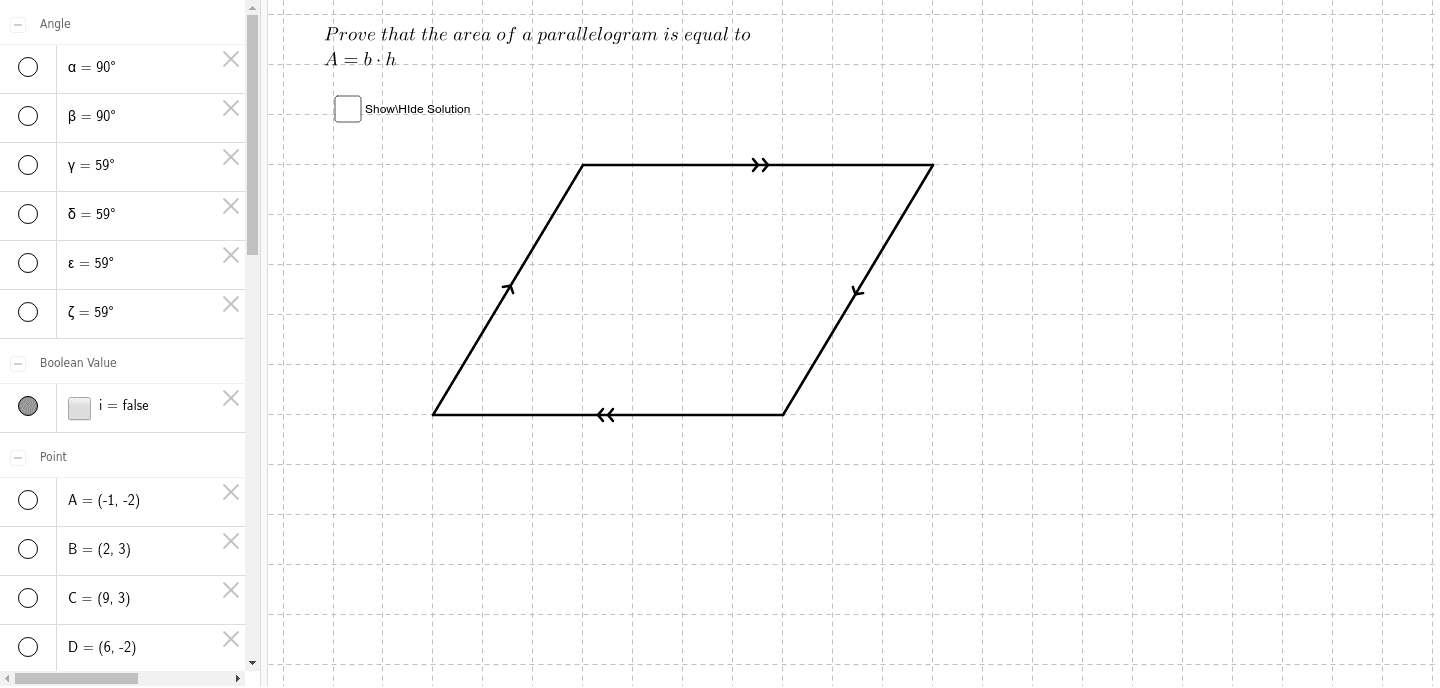
The parallelogram is a fundamental geometric shape with parallel sides of equal length. This example demonstrates its construction using GeoGebra, involving concepts like parallel lines, vectors, and linear functions. Key construction steps include using Segment and Angle commands to create parallel lines, and objects such as A, B, C, D. Suitable for middle school or high school students learning geometry, or for math teaching demonstrations.
GeoGebra Commands & Parameters
Segment(A, B) → aSegment(C, D) → bSegment(B, C) → cSegment(D, A) → dSegment(A, E) → eSegment(E, B) → fSegment(C, F) → gSegment(D, F) → hAngle(E, B, A) → γAngle(D, A, B) → δAngle(F, D, C) → εAngle(B, C, D) → ζAngle(A, E, B) → αAngle(C, F, D) → β
AI Drawing Prompt Reference
Draw a parallelogram ABCD with points A, B, C, and D as vertices. First, draw line segments AB and CD, ensuring they are parallel and of equal length. Then, draw line segments BC and DA. Next, draw a line segment from point A to point E, and another from point E to point B, forming a triangle. Finally, draw line segments CF and DF, ensuring they are parallel to line segments BC and DA.
The prompt above was compiled from the original drawing commands and is for reference only.