
Parallelogram Construction with Angle Annotation
Loading the math board and drawing, please wait…
In collections
Area of Polygons
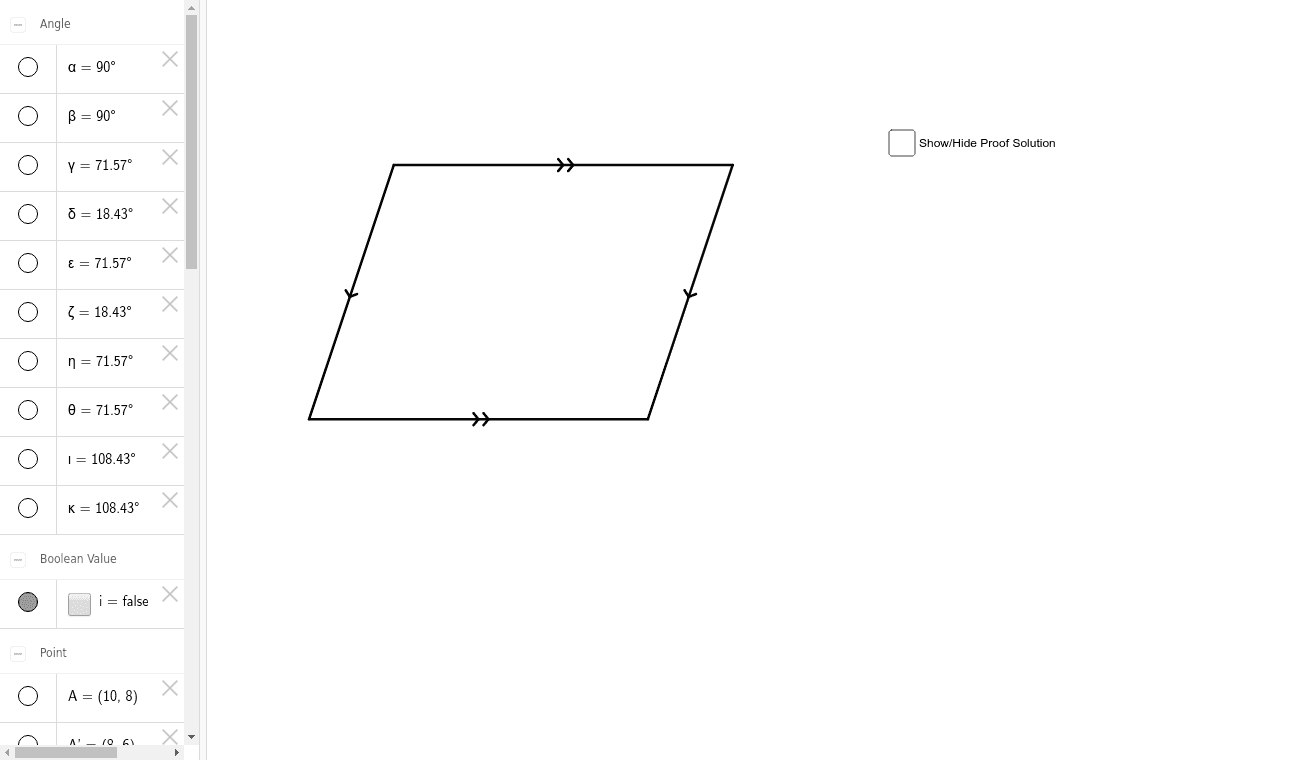
① This GeoGebra example demonstrates the construction of a parallelogram, showing its vertices, sides, and angles dynamically. ② Core mathematical concepts include the definition of a parallelogram (opposite sides parallel and equal), properties of diagonals, interior angle relationships, and rotational symmetry. ③ Construction details: uses Segment command to draw sides, Rotate command to create parallel sides, and Angle command to mark angles; objects include points A, B, C, D, E, F, segments a, b, c, d, e, f, g, h, and multiple angle variables (α, β, γ, etc.) with text labels, ensuring accuracy through rotation and angle measurement. ④ Suitable for middle school geometry lessons, helping students understand parallelogram properties, angle relationships, and dynamic construction methods; also useful for teacher demonstrations.
GeoGebra Commands & Parameters
Segment(A, B) → aSegment(A, C) → bSegment(C, D) → cSegment(B, D) → dSegment(C, E) → eSegment(D, E) → fSegment(A, F) → gSegment(F, B) → hRotate(A, -90*°, F) → A'Angle(A', F, A) → αRotate(D, -90*°, E) → D'Angle(D', E, D) → βAngle(F, A, B) → γAngle(A, B, F) → δAngle(E, D, C) → εAngle(D, C, E) → ζAngle(A, C, D) → ηAngle(D, B, A) → θAngle(B, A, C) → ιAngle(C, D, B) → κ
AI Drawing Prompt Reference
Draw a parallelogram with points A, B, C, D, E, and F, where AB and CD are parallel and equal sides, and AD and BC are also parallel and equal. Use the rotate command to create parallel sides and measure angles to label α, β, γ, δ, ε, ζ, η, θ, and ι, ensuring angle accuracy.
The prompt above was compiled from the original drawing commands and is for reference only.