
Parallelogram Construction and Properties
Loading the math board and drawing, please wait…
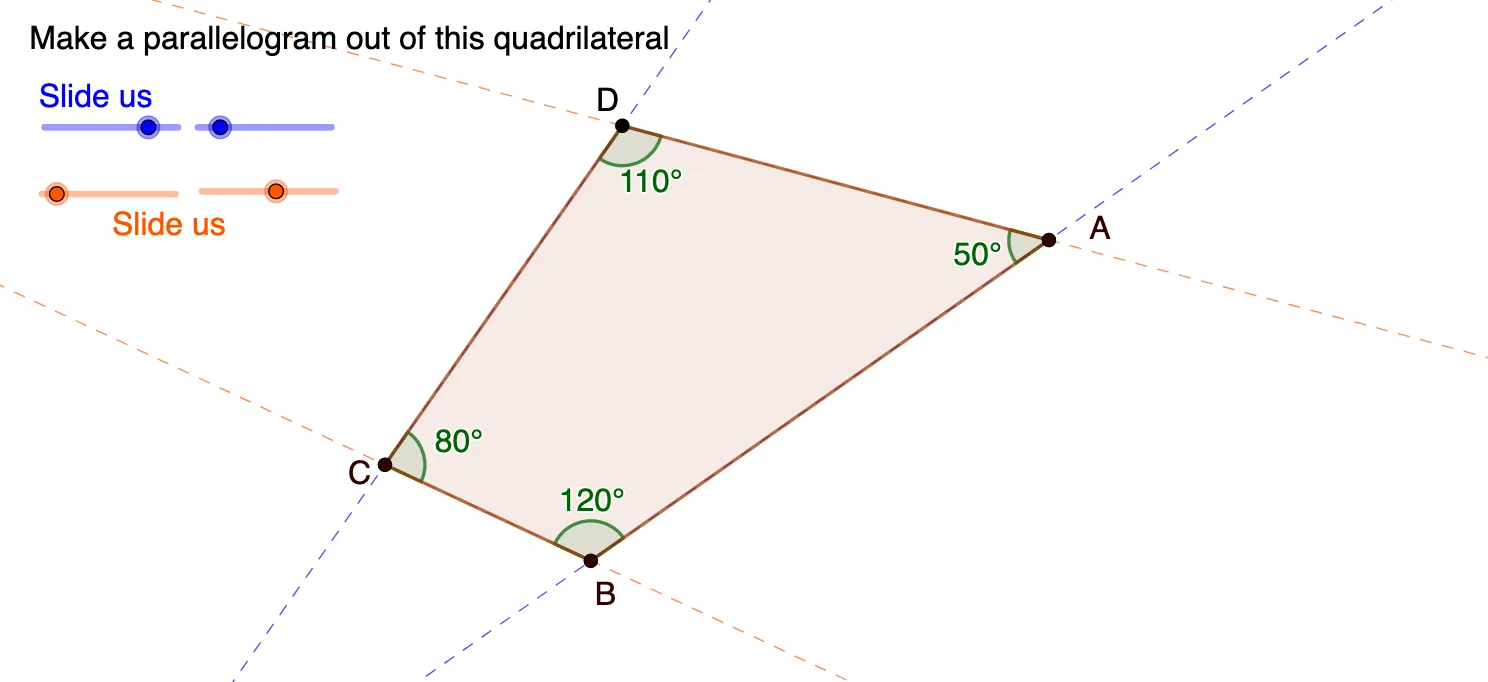
①This GeoGebra example dynamically demonstrates the construction of a parallelogram, visually illustrating its fundamental properties such as opposite sides parallel and equal, opposite angles equal, and diagonals bisecting each other. ②Core mathematical concepts include the definition of a parallelogram, properties of quadrilaterals, and basic geometric elements like segments, angles, and polygons. ③Construction details: uses commands such as Intersect to find intersection points, Segment to draw sides, Angle to mark angles, and Polygon to form the shape; involves numerous point objects (A2–A19, B3–B19, C3–C7) that are connected stepwise to build the complete parallelogram structure. ④Suitable for middle school geometry classes or self-study, helping learners grasp parallelogram properties through interactive manipulation and transition from concrete observation to abstract geometric reasoning.
GeoGebra Commands & Parameters
Intersect(f, p) → BIntersect(q, g) → DSegment(A, C) → lSegment(B, D) → mIntersect(l, m) → EAngle(D, A, B) → αAngle(A, B, C) → βAngle(B, C, D) → γAngle(C, D, A) → δSegment(A, D) → rSegment(D, C) → sSegment(A, B) → nSegment(B, C) → tPolygon(A, B, C, D) → q1, a, b, c, d
AI Drawing Prompt Reference
Draw a parallelogram to demonstrate its properties: opposite sides are parallel and equal in length, opposite angles are equal, and the diagonals bisect each other. Start by drawing two parallel lines and finding their intersection point. Connect these points to form the quadrilateral. Label the sides, angles, and diagonals, highlighting the point where the diagonals intersect. Measure and display the angles to show they are equal. Use distinct colors or styles for the sides and diagonals to clearly illustrate the structure.
The prompt above was compiled from the original drawing commands and is for reference only.