
Parallelogram Angle Exploration and Dynamic Construction
Loading the math board and drawing, please wait…
In collections
Folding paper, doing geometry figures
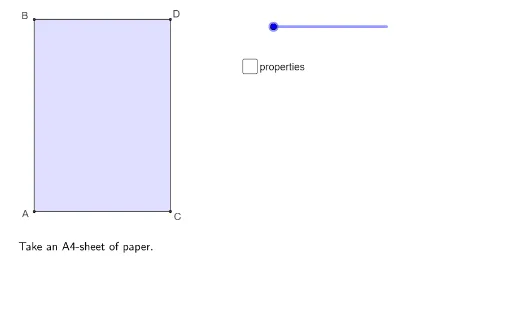
This GeoGebra example demonstrates the angle relationships within a parallelogram through dynamic construction. It visually shows that opposite angles are equal and adjacent angles are supplementary, using interactive rotation and measurement tools. Core mathematical concepts include parallelogram properties, angle measurement, rotation, and the use of auxiliary triangles to verify angle relations. The construction employs commands such as Polygon, Midpoint, CircleArc, Segment, Rotate, Intersect, OrthogonalLine, Line, Point, and Angle, creating multiple objects like vertices, sides, diagonals, and angle arcs. Suitable for middle school geometry lessons to explore parallelogram angles, and also useful for high school review of transformations and vector concepts. It serves as an engaging example for dynamic geometry exploration and classroom demonstration.
GeoGebra Commands & Parameters
Polygon(A, C, D, B) → vierhoek1, a, c, d, bMidpoint(B, D) → BDMidpoint(A, C) → FMidpoint(B, E) → GCircleArc(B, DD, D) → eSegment(B, E) → fPolygon(B, A, C, E) → vierhoek2, b_1, a_1, c_1, e_1Polygon(B, E, D) → driehoek1, d_1, b_2, e_2Rotate(B, (((-(s - 1)) * 180))°, e_1) → B'Rotate(E, (((-(s - 1)) * 180))°, e_1) → E'Rotate(D, (((-(s - 1)) * 180))°, e_1) → D'Polygon(B', E', D') → driehoek1', d', b', e'Polygon(DD, E, B) → driehoek2, b_3, dd, e_3Segment(G, F) → gPolygon(G, F, C, E) → vierhoek3, g_1, f_1, c_2, e_4Polygon(B, A, F, G) → vierhoek4, b_4, a_2, f_2, g_2Rotate(G, (((-(s - 3)) * 180))°, f_2) → G'Rotate(F, (((-(s - 3)) * 180))°, f_2) → F'Rotate(C, (((-(s - 3)) * 180))°, f_2) → C'Rotate(E, (((-(s - 3)) * 180))°, f_2) → E'_1Polygon(G', F', C', E'_1) → vierhoek3', g', f', c', e'_1Polygon(A, F, G, DD) → vierhoek5, a_3, f_3, g_3, dd_1CircleArc(F, GG, A) → hSegment(FE, F) → iPolygon(FE, A, F) → driehoek3, f_4, fe, a_4Rotate(FE, (((-(s - 5)) * 180))°, i) → FE'Rotate(A, (((-(s - 5)) * 180))°, i) → A'Rotate(F, (((-(s - 5)) * 180))°, i) → F'_1Polygon(FE', A', F'_1) → driehoek3', f'_1, fe', a'Polygon(B, FE, F, G) → vierhoek6, b_5, fe_1, f_5, g_4Intersect(g_3, i) → HOrthogonalLine(H, g', xOyPlane) → jLine(BD, F) → nPoint(n) → KCircleArc(K, C, A) → pPolygon(G, H, F) → driehoek4, f_6, g_5, h_1Intersect(f_6, Line[FE, GG]) → JOrthogonalLine(H, b) → kIntersect(f_5, k) → IPolygon(G, H, I) → driehoek5, i_1, g_6, h_2Polygon(FE, F, L) → driehoek6, l, fe_2, f_7Intersect(f_6, f_7) → MSegment(G, M) → mSegment(H, M) → qSegment(B, D) → rAngle(A, B, E) → αAngle(G, F, FE) → βSegment(D, C) → tSegment(A, C) → j_1Segment(A, FE) → k_1Segment(G, BD) → l_1Angle(B, G, F) → γAngle(F, FE, B) → δSegment(B, FE) → m_1Segment(F, G) → n_1Segment(B, G) → p_1Segment(FE, F) → q_1
AI Drawing Prompt Reference
Draw a parallelogram and explore its angle properties. Start with the parallelogram and its diagonals, marking their intersection. Construct a triangle on one side that can rotate via a slider, showing how it relates to the original shape. Add several auxiliary triangles and quadrilaterals, using perpendiculars and intersections to create angle arcs that demonstrate opposite angles are equal and adjacent angles sum to 180 degrees. Finally, label key angles and draw segments connecting certain intersection points to complete the dynamic exploration diagram.
The prompt above was compiled from the original drawing commands and is for reference only.