
Parallel Lines and Transformations in a Parallelogram
Loading the math board and drawing, please wait…
In collections
Parallel Lines and Transformations
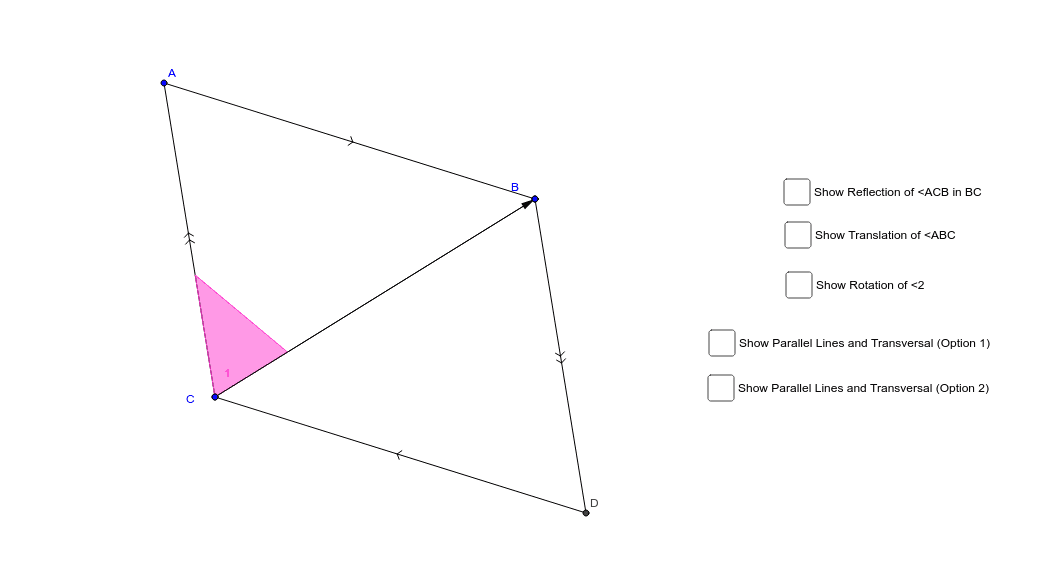
This example demonstrates the properties of parallel lines and transformations within a parallelogram. It involves core math concepts like parallel lines, parallelograms, vectors, and geometric transformations (translation, rotation, reflection). Constructed using commands such as Line, Intersect, Segment, Point, Polygon, Vector, Translate, Rotate, Mirror, Angle, Ray in GeoGebra. Suitable for high school mathematics education to understand geometric transformations and properties of parallelograms.
GeoGebra Commands & Parameters
Line(A_1, B) → aLine(A_1, C) → bLine(C, a) → cLine(B, b) → dIntersect(c, d) → DSegment(A_1, B) → eSegment(B, D) → fSegment(D, C) → gSegment(C, A_1) → hSegment(A_1, B) → iSegment(B, C) → jPoint(h) → EPoint(j) → FPolygon(C, E, F) → poly1, f_1, c_1, e_1Vector(C, B) → uTranslate(C, u) → C'Translate(E, u) → E'Translate(F, u) → F'Polygon(C', E', F') → poly1', f', c', e'Rotate(C', 180*°, B) → C''Rotate(E', 180*°, B) → E''Rotate(F', 180*°, B) → F''Polygon(C'', E'', F'') → poly1'', f'', c'', e''Mirror(C, j) → C'_1Mirror(E, j) → E'_1Mirror(F, j) → F'_1Polygon(C'_1, E'_1, F'_1) → poly1'_1, f'_1, c'_1, e'_1Line(A_1, C) → nLine(C, B) → pLine(B, D) → qAngle(B, C, A_1) → AIntersect(f', c') → GRay(B, G) → rIntersect(c', e') → HRay(B, H) → sLine(A_1, B) → lLine(C, D) → a_1Line(B, C) → b_1
AI Drawing Prompt Reference
Draw a parallelogram ABCD, connect the diagonals AC and BD, construct parallel lines a and b through points A and B, intersecting the diagonals at point D. Draw the sides and diagonals of the parallelogram, then construct parallelogram CDEF through point C and vector CB, rotate CDEF around point B to get C'D'E'F', and finally construct a new parallelogram through point C and the midpoint of line segment BC.
The prompt above was compiled from the original drawing commands and is for reference only.