
Painted Cube 3x3x3: Counting Colored Unit Cubes in a 3D Visualization
Loading the math board and drawing, please wait…
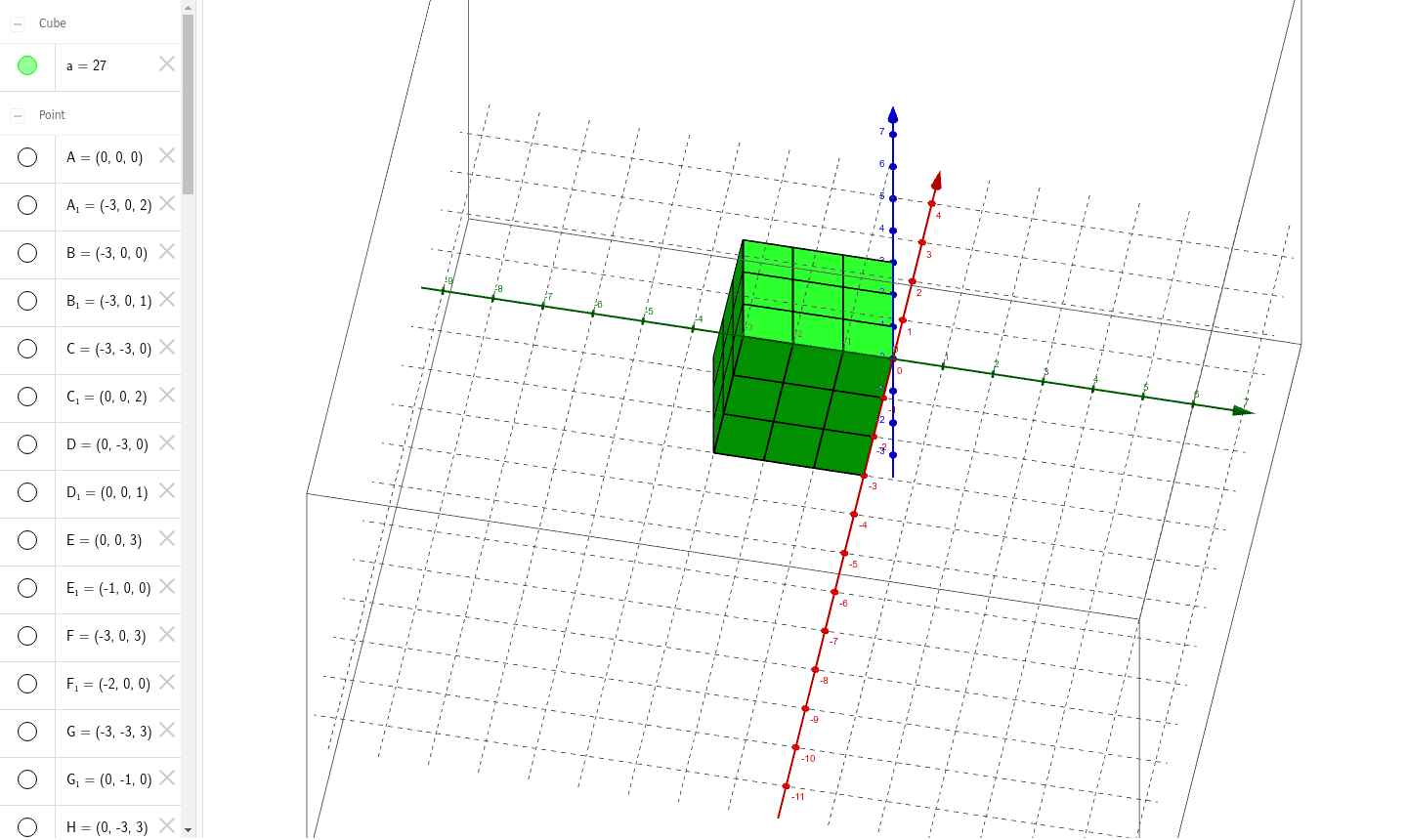
①This example demonstrates a 3x3x3 cube with its surface painted, using GeoGebra's 3D view to visually distinguish unit cubes by their position (corner, edge, face-center, and interior) and support counting colored faces. ②Core mathematical concepts include solid geometry, spatial partitioning, combinatorial counting (e.g., the number of small cubes with 0, 1, 2, or 3 painted faces), and relationships among points, segments, faces, and volumes in 3D space. ③Construction highlights: The Cube command creates the main cube; Intersect, Point, and Segment commands generate vertices, edges, and intersection points; PointIn marks interior points; multiple faces (faceABCD, faceADHE, etc.) and edges (edgeAB, edgeBC, etc.) are explicitly defined to clarify the structure. ④This is suitable for middle school (grades 7-9) solid geometry lessons, as well as introductory combinatorics or spatial reasoning exercises, helping students classify and count elements in a 3D grid.
GeoGebra Commands & Parameters
Intersect(yAxis, xAxis) → APoint(xAxis) → BPoint(Circle[B, Distance[A, B], Segment[A, B]]) → CCube(A, B, C) → a, D, faceCDHG, faceEFGH, edgeAD, edgeAB, edgeBC, edgeCD, edgeAE, edgeDH, edgeEH, edgeEF, E, edgeBF, edgeFG, edgeCG, edgeGH, F, G, H, faceABCD, faceADHE, faceABFE, faceBCGFPoint(edgeCD) → IPoint(edgeGH) → JSegment(I, J) → bPoint(edgeCD) → KPoint(edgeGH) → LSegment(K, L) → cPoint(edgeBC) → MPoint(edgeFG) → NSegment(M, N) → dPoint(edgeBC) → OPoint(edgeFG) → PSegment(O, P) → ePointIn(faceEFGH) → QSegment(N, Q) → fPoint(edgeEH) → RSegment(P, R) → gPointIn(faceEFGH) → SSegment(J, S) → hPoint(edgeEF) → TSegment(L, T) → iPoint(edgeCG) → UPointIn(faceCDHG) → VSegment(U, V) → jPoint(edgeCG) → WPointIn(faceCDHG) → ZSegment(W, Z) → kPoint(edgeBF) → A_1Segment(W, A_1) → lPointIn(faceBCGF) → B_1Segment(U, B_1) → mPoint(zAxis) → C_1Segment(C_1, A_1) → nPoint(zAxis) → D_1Segment(D_1, B_1) → pPointIn(faceABFE) → E_1Segment(T, E_1) → qPointIn(faceABFE) → F_1Segment(S, F_1) → rSegment(D_1, V) → sSegment(Z, C_1) → tPoint(yAxis) → G_1Segment(R, G_1) → a_1Point(yAxis) → H_1Segment(H_1, Q) → b_1Segment(M, H_1) → c_1Segment(G_1, O) → d_1Segment(I, F_1) → e_1Segment(K, E_1) → f_1
AI Drawing Prompt Reference
Visualize a 3x3x3 cube with painted surfaces, using a 3D view to distinguish unit cubes by position (corner, edge, face center, and interior) and support counting colored faces. Define the cube using points on three axes, then generate vertices, edges, and faces. Mark interior points and explicitly define edges and faces to clarify the structure. Highlight different regions like corners, edges, and face centers using lines connecting specific points, enabling classification and counting of various types of unit cubes.
The prompt above was compiled from the original drawing commands and is for reference only.