
Orange Slice
Loading the math board and drawing, please wait…
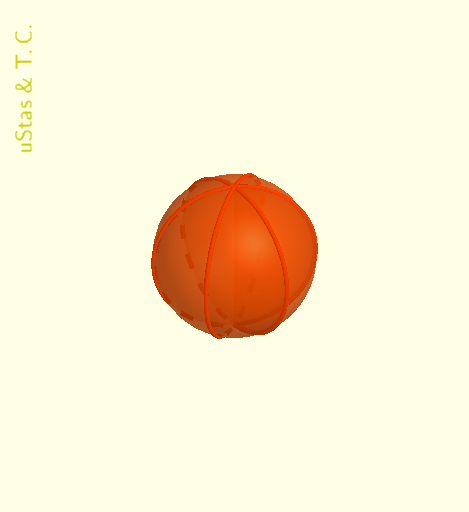
This GeoGebra example demonstrates a wedge section of a sphere. It involves parametric curves and rotation transformations. Using commands like RotateText, Surface, Arc, Rotate, Sequence, Vector, CurveCartesian, Point, Translate, a dynamic wedge shape is constructed. Suitable for high school geometry and transformation learning.
GeoGebra Commands & Parameters
RotateText("uStas\;\&\;T.C.", 90°) → надпись01SelectedElement(sp1) → nSurface(((scaLe * cos(k)) * cos(t)), ((scaLe * cos(k)) * sin(t)), zQ + (scaLe * sin(k)), k, ((-π)) / 2, π / 2, t, 0, π / n) → c1Arc(Circle[Q, scaLe, yAxis], (0, 0, zQ + scaLe), (0, 0, zQ - scaLe)) → ψRotate(ψ, π / n, zAxis) → ωSequence(Rotate[c1, (t * π / n), zAxis], t, 1, (2 * n) - 1) → sp2Sequence(Rotate[ψ, (t * π / n), zAxis], t, 2, (2 * n) - 1) → ψ2Vector(Q, Q + ((scaLe * cos(π / ((2 * n)))), (scaLe * sin(π / ((2 * n)))), 0)) → v1CurveCartesian((x(v1) * t), (y(v1) * t), zQ, t, 0, 1) → aPoint(a) → AVector(Q, A) → v2Translate(c1, v2) → c2Translate(ψ, v2) → ψ1Translate(ω, v2) → ω1Sequence(Rotate[c2, (t * π / n), zAxis], t, 1, (2 * n) - 1) → sp3Sequence(Rotate[ψ1, (t * π / n), zAxis], t, 1, (2 * n) - 1) → ψ3Sequence(Rotate[ω1, (t * π / n), zAxis], t, 1, (2 * n) - 1) → ω3