
Optimizing Volume & Surface Area of a Cylinder
Loading the math board and drawing, please wait…
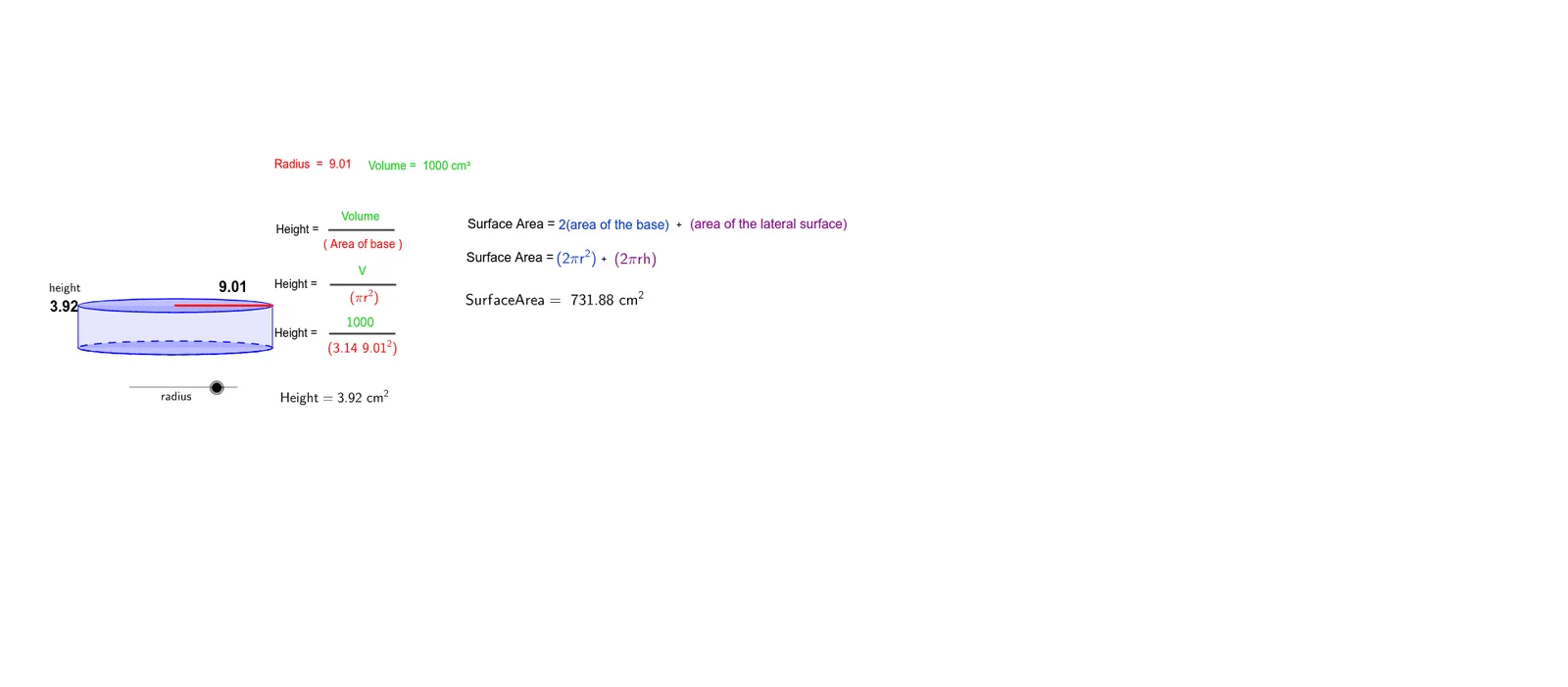
This GeoGebra example demonstrates the optimization of a cylinder's volume and surface area, allowing users to explore how changing the radius and height affects these quantities under constraints. It visually shows the trade-off between maximizing volume and minimizing surface area, with dynamic sliders and computed optimal points. Core mathematical concepts include the volume formula V=πr²h, surface area formula S=2πr²+2πrh, and the use of derivatives to find extrema. The construction uses GeoGebra commands such as Intersect, Vector, Translate, Segment, Arc, Polygon, Root, Midpoint, and Point to build the 3D cylinder and its cross-sections, with text objects displaying results. Suitable for high school or introductory calculus students learning optimization and its geometric interpretation.
GeoGebra Commands & Parameters
Intersect(c, xAxis, 1) → AIntersect(c, xAxis, 2) → BVector((-17, 0), (-17, b)) → uTranslate(c, u) → dTranslate(A, u) → CTranslate(B, u) → DSegment(A, C) → eSegment(B, D) → fArc(c, A, B) → gPolygon(C, D, B, A) → P, c_1, d_1, b_1, a_1Intersect(xAxis, yAxis) → ESegment(E, B) → hTranslate(E, u) → E'Translate(B, u) → B'Segment(E', B') → iRoot(32) → FMidpoint(i) → GMidpoint(e) → HPoint(Circle[K, 5]) → LPoint(Circle[M, 5]) → NPoint(Circle[O, 6]) → QSegment(O, Q) → jPoint(Circle[R, 6]) → SSegment(R, S) → kPoint(Circle[T, 6]) → USegment(T, U) → l