
OMT Fraction Addition
Loading the math board and drawing, please wait…
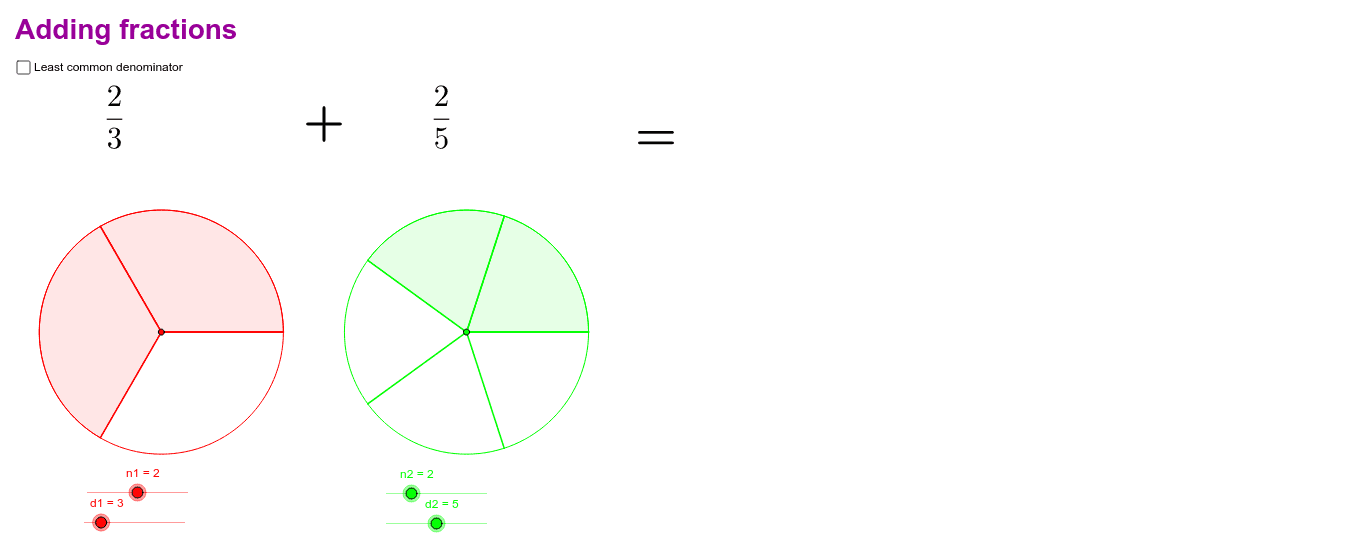
This example demonstrates how to perform fraction addition using GeoGebra. The key mathematical concept is the addition of fractions. Using commands such as Circle, Sequence, and LCM, users can visually understand the process of fraction addition. Suitable for students from upper elementary to middle school.
GeoGebra Commands & Parameters
Circle(A1, B1) → cCircle(A2, B2) → dSequence(Segment[A1, Rotate[B1, t°, A1]], t, 0, 360, 360 / d1) → list1Sequence(Segment[A2, Rotate[B2, t°, A2]], t, 0, 360, 360 / d2) → list2Sequence(CircleSector[A1, Rotate[B1, t°, A1], Rotate[B1, (t + 360 / d1)°, A1]], t, 0, ((n1 - 1) * 360 / d1), 360 / d1) → list3Sequence(CircleSector[A2, Rotate[B2, t°, A2], Rotate[B2, (t + 360 / d2)°, A2]], t, 0, ((n2 - 1) * 360 / d2), 360 / d2) → list4LCM(d1, d2) → lcdSequence(Segment[A1, Rotate[B1, t°, A1]], t, 0, 360, 360 / d11) → list5Sequence(Segment[A2, Rotate[B2, t°, A2]], t, 0, 360, 360 / d22) → list6