
Omm Nom Fractions
Loading the math board and drawing, please wait…
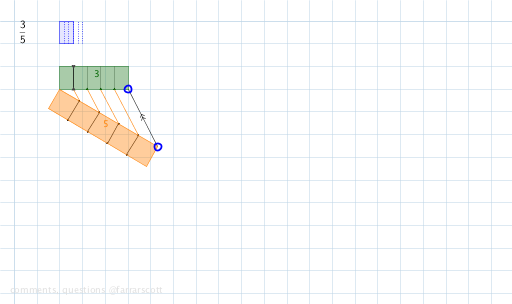
This example demonstrates the application of fractions in geometric shapes, focusing on the concepts of fractions, circles, and symmetry. It uses GeoGebra commands such as Sequence, Point, Ray, Segment, etc., to construct geometric objects like points, line segments, and circles. Suitable for middle school and above students to learn the relationship between fractions and geometric shapes.
GeoGebra Commands & Parameters
Sequence(Circle[B, k], k, 1, 20) → list1Sequence((x(A) + k, y(A)), k, 1, 20) → list2Point(list2) → CRay(A, C) → fSegment(A, C) → gPoint(list1) → DRay(B, D) → hSegment(B, D) → iSequence((x(B) + (k / i * a), y(B) + (k / i * b)), k, 1, i - 1) → BDpointsSequence((x(A) + (k / g * c), y(A) + (k / g * d)), k, 1, g - 1) → ACpointsSequence((x(A) + (k / i * c), y(A) + (k / i * d)), k, 1, i - 1) → divPointsSequence(Segment[BDpoints(k), divPoints(k)], k, 1, Length[divPoints]) → list3Segment(D, C) → jOrthogonalLine(A, g) → kOrthogonalLine(C, g) → lCircle(A, 1) → eIntersect(e, k, 2) → EOrthogonalLine(E, k) → mIntersect(l, m) → FPolygon(A, E, F, C) → poly1, a_1, e_1, f_1, c_1OrthogonalLine(B, i) → nOrthogonalLine(D, i) → pCircle(B, 1) → qIntersect(q, n, 1) → GOrthogonalLine(G, n) → rIntersect(p, r) → HPolygon(G, B, D, H) → poly2, g_1, b_1, d_1, h_1Segment(I, J) → sSequence(Segment[divPoints(k), (x(divPoints(k)), y(divPoints(k) + 1))], k, 2, Length[divPoints]) → list4Line(A, C) → tLine(B, D) → i_1Angle(i_1, t) → βSequence((x(BDpoints(k)) - sin(β), y(BDpoints(k)) - cos(β)), k, 1, Length[BDpoints]) → list5Sequence(Segment[BDpoints(k), list5(k)], k, 1, Length[BDpoints]) → denomLinesPolygon(K, L, N, M) → poly3, k_1, l_1, n_1, m_1FractionText(o) → text1Sequence(Segment[(x(K) + k / Area[poly2], y(K)), (x(K) + k / Area[poly2], y(K) + 1)], k, 1, Area[poly2]) → list6